 25 Questions for a Travel Agency Customer Satisfaction Survey
 Quiz maker
An online quiz maker for quizzes that score themselves.
Mark the right answers, give points or add them up by personality type. SurveyNinja counts every answer and shows each player a result that matches their score.
Free plan: 50 quizzes, 100 responses a month, scoring included. What's free →
- Scoring on every planCorrect answers and points, Free included.
- Personality quizzesThe type with the most points wins.
- A result for each scoreIts own title and text per range.
- AI writes the draftQuestions, answers and points.
Three kinds of quiz, one builder.
Every quiz is a survey with scores. Pick how the answers count, and the result screen follows.
Right answers and points.
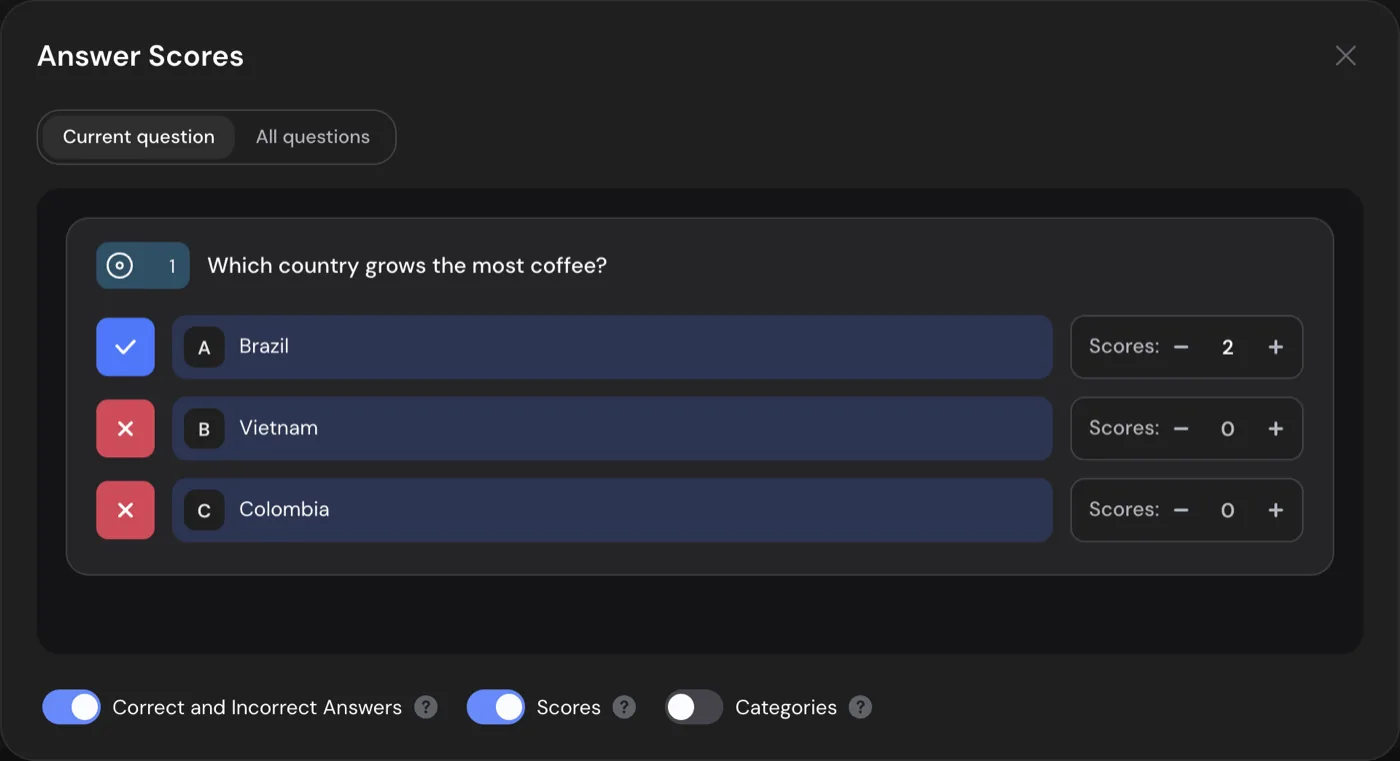
Mark which options are correct and how many points each one is worth. SurveyNinja adds up the points of every answer the player picks.
- Points can be negative, to take points off for a wrong guess.
- Scores work on choice, image choice, yes or no, dropdown, rating, scale, NPS, matrix and area selection questions.
- Set up one question or all of them in one window.
Categories instead of right answers.
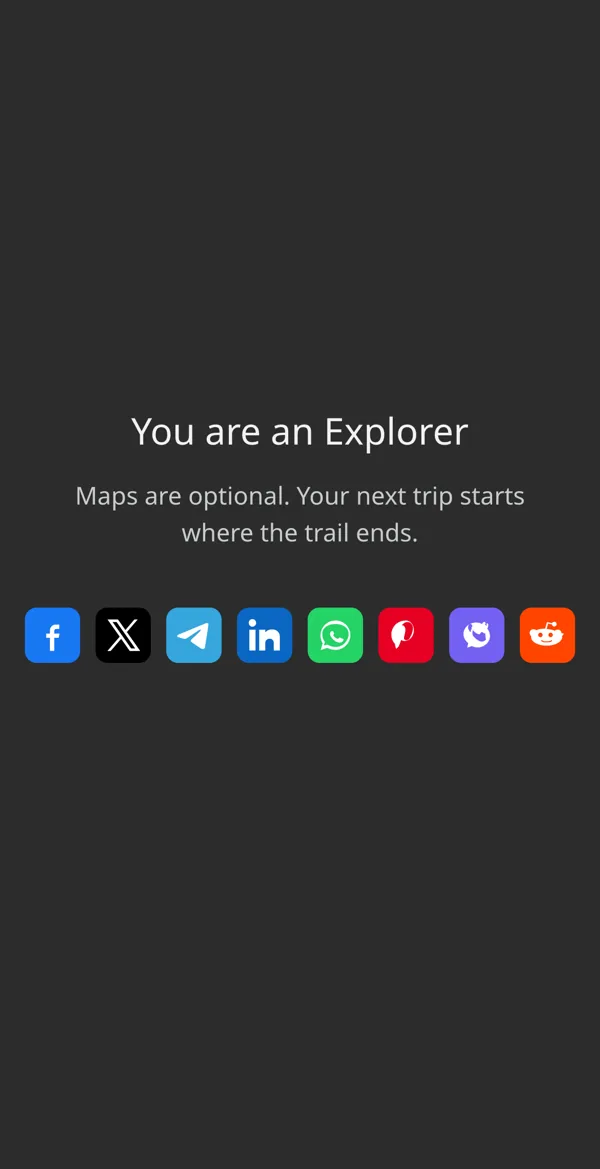
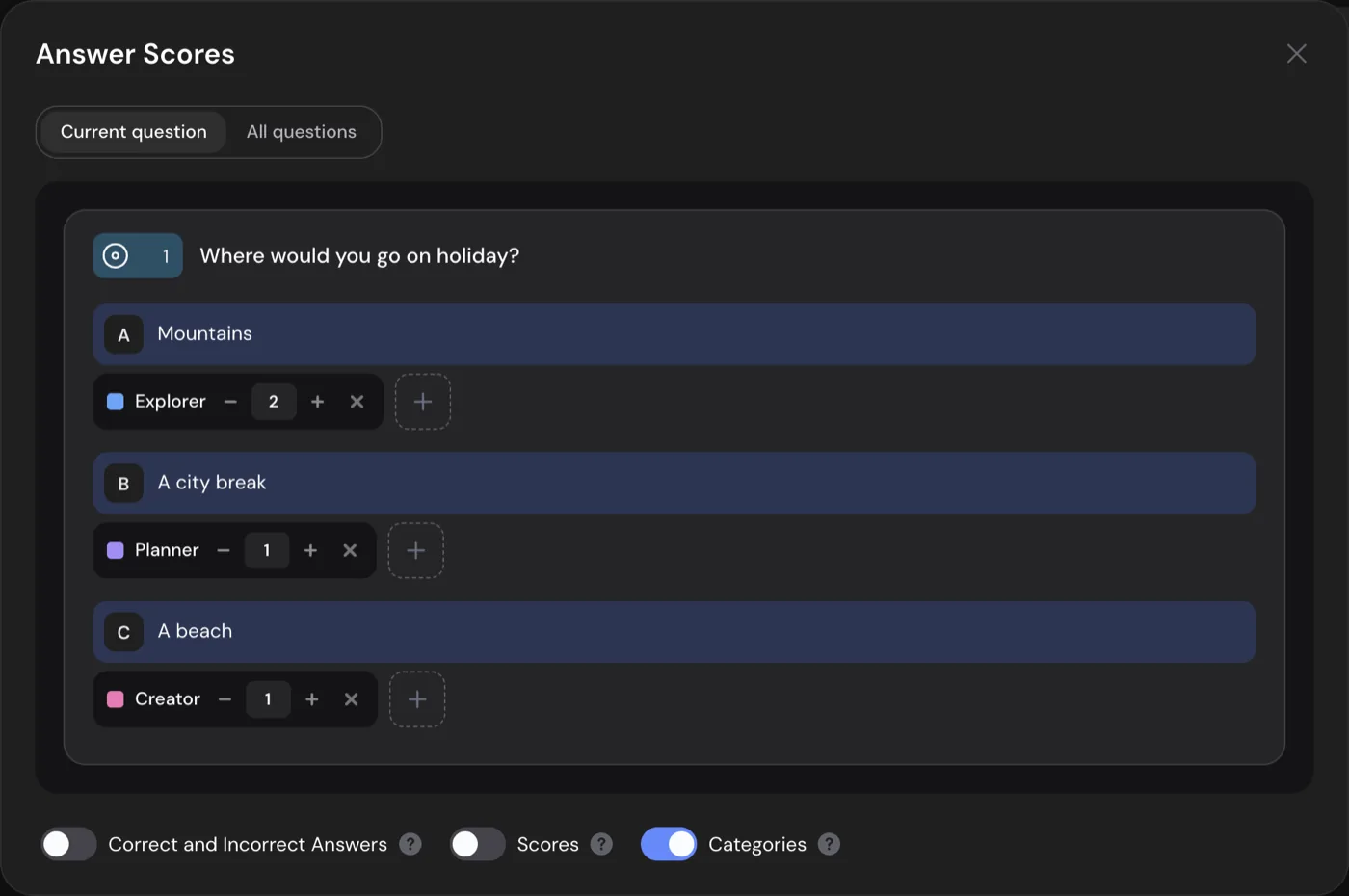
Each option adds points to one or more types, such as Explorer or Planner. The type with the most points becomes the player's result.
- Give an option weight in several types at once.
- On a tie, the type higher in your list wins.
- The report shows how many people got each type.
A result that leads somewhere.
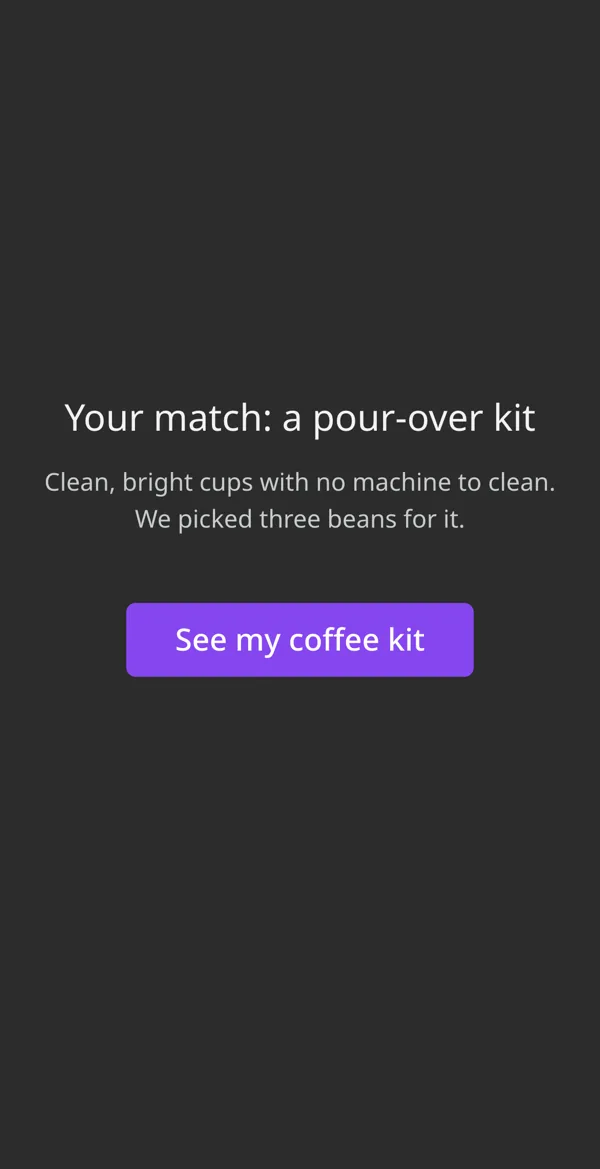
Ask a few questions about what people need, then show the matching result with a button to your product, booking or offer page.
- Ask for a name and an email in the same quiz.
- Send the player an email with their answers and score. Basic.
- Send each response to Zapier, Google Sheets or a webhook. Basic.
How to make a quiz.
- 1
Write the questions or ask AI.
Start from scratch, or describe the quiz and turn on test mode: AI drafts the questions, the right answers and the points.
- 2
Mark answers and set points.
In the Answer Scores window, mark the correct options, give points or tie options to personality types.
- 3
Write a result per score.
Add a title and text for each score range or type, then share a link, a QR code or put the quiz on your site.
The last screen tells each player how they did.
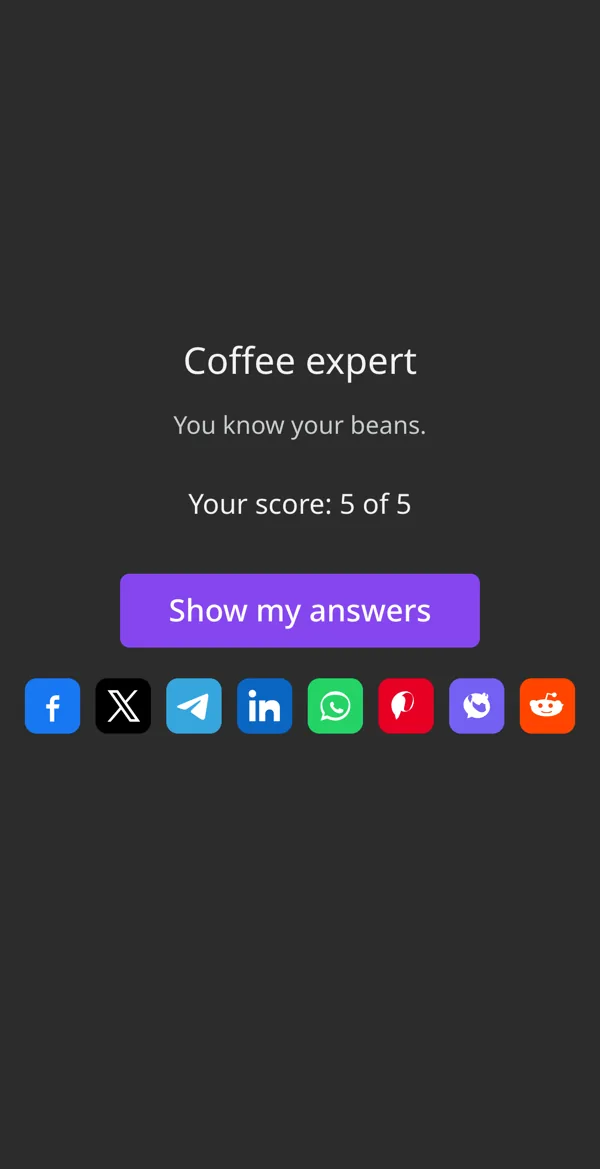
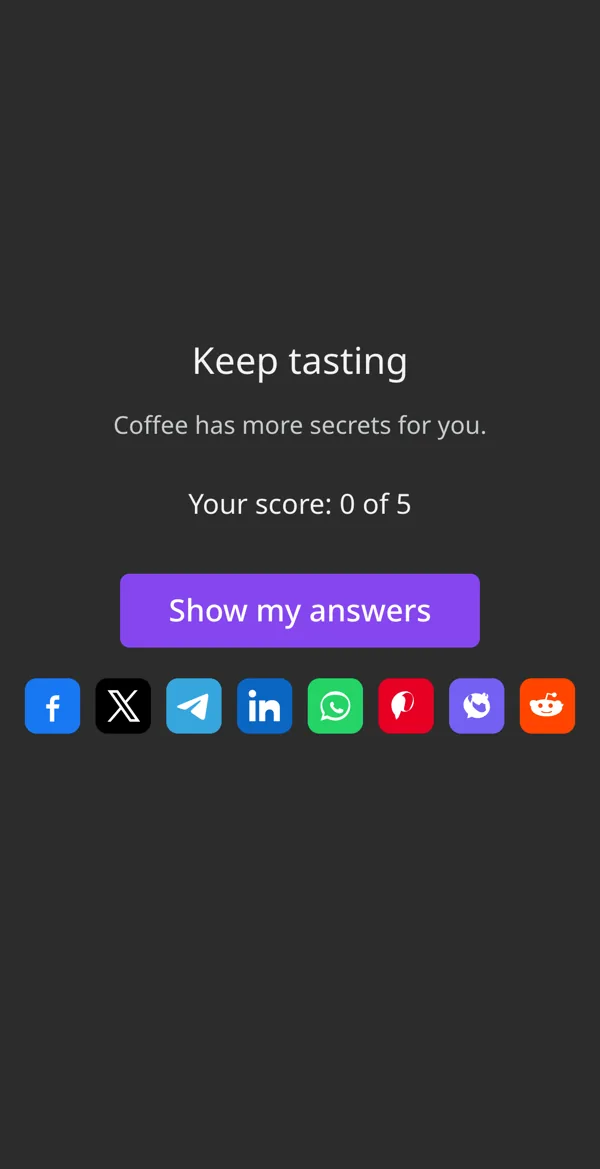
The Thank You Screen changes with the score, so a player with 0 points and a player with 5 read different results.
- The score: "Your score: 5 of 5", in your own words around the number.
- A title and text for each score range, or for the winning type.
- A "Show my answers" button: every answer marked right or wrong, with its points.
- The time the player took, and share buttons for Facebook, X, WhatsApp and more.
The result screen comes with the Basic plan. On Free, you see every score in your results.

Quiz ideas that work.
Each one is a quiz type from above with its own questions.
- Trivia for friends A round for a party, a group chat or a pub night. Points per answer, a title for the winners.
For example:
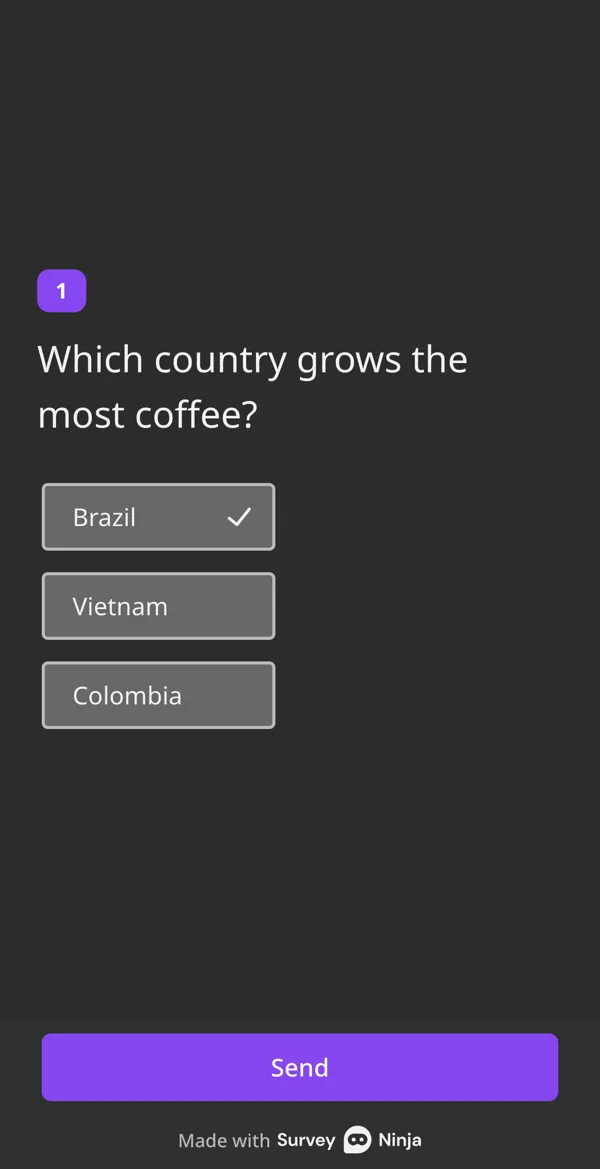
Which country grows the most coffee?
- Personality quiz Which traveler are you, which coffee suits you. Types instead of right answers.
For example:
Where would you go on holiday?
- Product finder Three questions about needs, then the product that fits, with a link to buy it.
For example:
How do you brew coffee at home?
- Lead generation quiz A result in exchange for an email, with the score in your CRM through Zapier.
For example:
Lead quizzes →How ready is your team for a new CRM?
- Class quiz A quick check after a lesson. Students see their answers marked right or wrong.
For example:
Online tests and exams →Which gas do plants take in?
- Training check Did the new hires get the safety rules? Scores land in one table for HR.
For example:
Online tests and exams →What do you do first if the alarm goes off?
Every score lands in your results.
You see who scored what without counting a single answer.
- A score on every responseEach response shows its total score, or the type the player got.
- A chart of typesA personality quiz gets a chart of how many people landed in each type.
- Filter by scoreShow only the players above, below or equal to a score. From Basic.
- Export with scoresExcel, CSV and SPSS files get a column with the score and the type.
What's free, and what comes next.
Scoring is free. Paid plans add the result screen, emails to players and a timer.
| What you get | Free | Basic | Standard | Premium |
|---|---|---|---|---|
| Price | $0 | $10.50/mo | $25.90/mo | $48.30/mo |
| Responses a month | 100 | 1,000 | 5,000 | 20,000 |
| Quizzes | 50 | 100 | 500 | Unlimited |
| Questions per quiz | 30 | 50 | 100 | Unlimited |
| Correct answers, points, personality types | Yes | Yes | Yes | Yes |
| AI quiz from a description | Yes | Yes | Yes | Yes |
| Result screen by score, "Show my answers" | No | Yes | Yes | Yes |
| Email players their answers and score | No | Yes | Yes | Yes |
| Export with scores | Yes | Yes | Yes | Yes |
| Filter by score | No | Yes | Yes | Yes |
| Quiz and question timers | No | No | Yes | Yes |
| Without SurveyNinja branding | No | No | Yes | Yes |
Prices per month, billed yearly, in USD. All plans and prices →
More ways to ask.
Already paying for a quiz or survey tool?
Send us a screenshot of your invoice and get a month of Premium free. Our team also helps you move your quizzes to SurveyNinja.
Questions and answers
Is the quiz maker free?
Yes. Correct answers, points and personality types work on the Free plan: 50 quizzes, 100 responses a month and up to 30 questions per quiz, with no credit card. On Free, players don't see their score at the end, but you see every score in your results. The result screen comes with Basic.
What is the difference between a scored quiz and a personality quiz?
A scored quiz adds up points for the answers, and the total decides the result. A personality quiz has no right answers: each option adds points to a type, and the type with the most points becomes the result. Correct answers can be marked in both.
Can players see the correct answers?
Yes, at the end. Add a "Show my answers" button to the Thank You Screen, and players see each of their answers marked right or wrong with its points.
Can I add a time limit to a quiz?
Yes, on the Standard plan and higher. Set a timer for the whole quiz, and the answers are sent when time runs out, or for single questions, which lock when their time is up.
Can AI make a quiz for me?
Yes. Describe the quiz and turn on "Create a test (with scores)". AI drafts the questions, marks the correct answers, sets the points and adds a last screen with the score. The AI assistant is in beta and works on every plan.
Which questions can have points?
Single and multiple choice, image choice, yes or no, dropdown, star rating, emoji rating, opinion scale, NPS, matrix and area selection. Questions inside a question group count too. Open text answers don't get points.
How do I put a quiz on my website?
Share the link, print a QR code or embed the quiz on your site as a frame, a pop-up, a side widget or a button. All of these work on every plan.
Can I collect emails with a quiz?
Yes. Add an Email question and, from Basic, send each player their answers and score by email. Basic also sends responses to Zapier, Google Sheets and webhooks.
Can I make a quiz for friends?
Yes. Make a trivia or personality quiz and send the link to a group chat. With a result screen, players can share their result on Facebook, X, WhatsApp, Telegram and other networks.
Didn't find the answer? Write to team@surveyninja.io or use the contact page.

Your first quiz can be live tonight.
Start free with scoring included, and add the result screen when you need it.