 25 Questions for a Travel Agency Customer Satisfaction Survey
Online poll maker
Create an online poll and see which option wins.
Ask one question, share it in a chat, on a slide or on your website, then open the report to see the count so far. One vote per person, with or without names.
Free plan: 50 polls and 100 votes a month, charts included. What's free →
- One vote eachChecked by cookie or IP address.
- A chart per questionCounts and percentages for each option.
- AnywhereLink, QR code or your website.
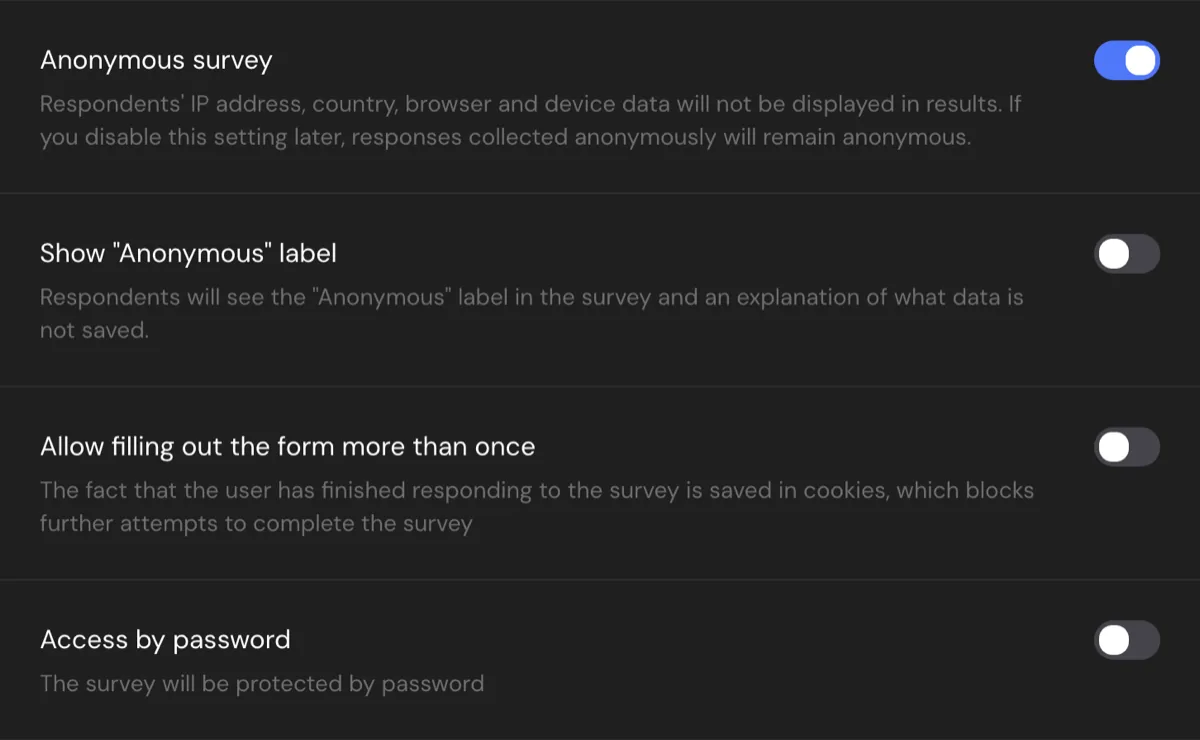
- Anonymous if you wantHide IP and device data.
Where to run a poll.
- In a chatPaste the link in WhatsApp, Slack or a group chat. People vote in the browser, no app or account. Surveys in WhatsApp →
- On a slide or a posterShow the QR code at a meeting, a class or an event, and the room votes from their phones. QR code surveys →
- On your websiteA card in the corner of the page, a pop-up or a poll inside the page. Embedding works on every plan. Website surveys →
- In an emailAdd the link to a newsletter or a message, with your subdomain from the Basic plan.
Poll formats.
Any of these can be a one-question poll, or one of a few.
- Single choiceThe classic vote: one option.
- Multiple choicePick all that apply, with a limit if you need one.
- Image choiceVote on designs, photos or products. Basic.
- Yes or noTwo big buttons for a quick decision.
- RankingPut the options in order of preference.
- NPSHow likely people are to recommend, 0 to 10.
One person, one vote.
A poll is only worth something if nobody can vote twice. These settings work on every plan.
- One response per person, checked by cookie, IP address or a link parameter.
- Email confirmation: one email, one vote.
- A captcha against bots.
- Anonymous mode hides IP, country, browser and device in the results.
- Close the poll on a date or after a number of votes. Standard.
See the votes add up.
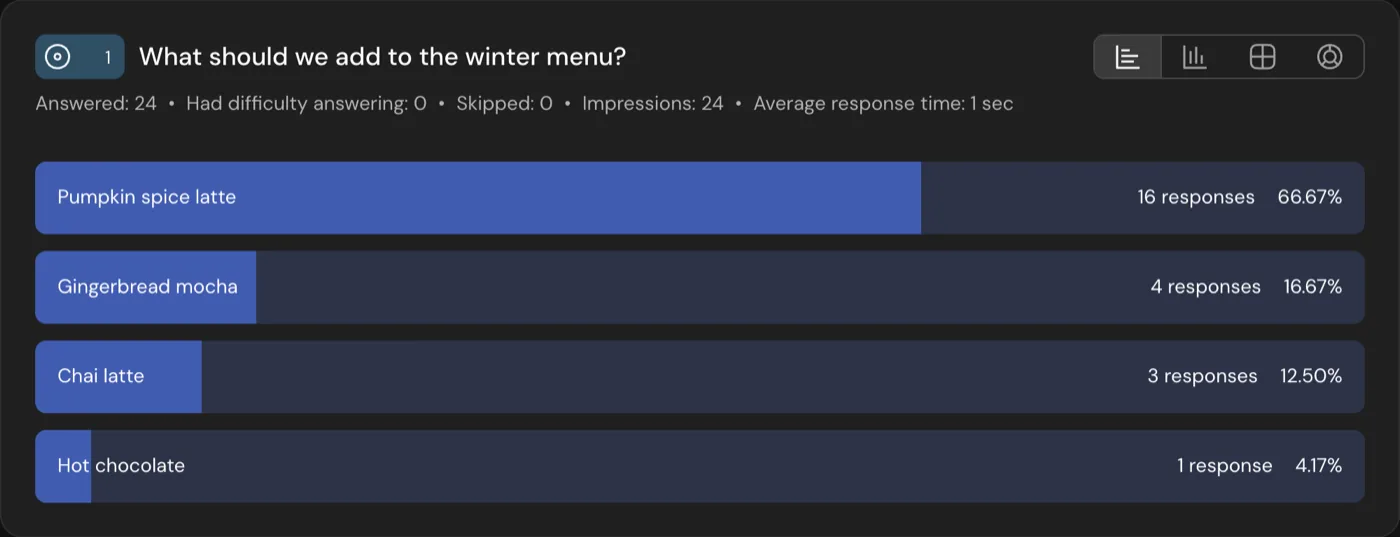
Every question gets a chart in the report with all the votes so far: bars, columns, a table or a donut, with counts and percentages.
- Filter the votes by answer or date. Basic.
- Share the results with a public link that opens without signing in.
- Show voters the totals: add the results link to the button on the last screen. Basic.
- Download the votes as Excel, CSV or SPSS.
Poll or survey?
- A pollOne or two questions, answered in seconds. You want the count: which option wins.
- A surveySeveral questions with logic, answered in minutes. You want the reasons behind the answers. Survey maker →
Poll ideas.
- Team lunch
Where do we go on Friday?
- Next feature
Which feature should we build next?
- Design vote
Which cup design should we use this winter?
- Event date
Which Saturday works for the meetup?
- Class vote
Which book do we read next?
- Website visitors
What brought you here today?
What's free, and what comes next.
Polls, charts, one vote per person and a public results link are free. Paid plans add image polls, filters and deadlines.
| What you get | Free | Basic | Standard | Premium |
|---|---|---|---|---|
| Price | $0 | $10.50/mo | $25.90/mo | $48.30/mo |
| Votes a month | 100 | 1,000 | 5,000 | 20,000 |
| Polls | 50 | 100 | 500 | Unlimited |
| Choice, yes or no, ranking, NPS | Yes | Yes | Yes | Yes |
| Image choice | No | Yes | Yes | Yes |
| One vote per person, captcha, anonymous mode | Yes | Yes | Yes | Yes |
| Link, QR code, website embed | Yes | Yes | Yes | Yes |
| Public results link | Yes | Yes | Yes | Yes |
| Export votes | Yes | Yes | Yes | Yes |
| Filter votes | No | Yes | Yes | Yes |
| Close by date or after N votes | No | No | Yes | Yes |
| Without SurveyNinja branding | No | No | Yes | Yes |
Prices per month, billed yearly, in USD. All plans and prices →
More ways to ask.
Already paying for a polling tool?
Send us a screenshot of your invoice and get a month of Premium free. Our team also helps you move your polls and surveys to SurveyNinja.
Questions and answers
Is the poll maker free?
Yes. The Free plan includes 50 polls and 100 votes a month, with charts, one vote per person and sharing by link, QR code or on your website. No credit card.
Do I need an account to create a poll?
You need a free SurveyNinja account to create a poll and see its results. People who vote don't: they open the link and vote in the browser.
How do I make sure each person votes only once?
Turn on one response per person: SurveyNinja checks the browser cookie, the IP address or a parameter in the link. For stricter polls, ask people to confirm their email with a code, one email per vote.
Can voters see the results?
Yes. Share the report with a public link on any plan, and from the Basic plan put that link on the button of the last screen so voters can open it after they vote.
Is voting anonymous?
A poll has no name field unless you add one. Anonymous mode also hides the IP address, country, browser and device of every response in your results.
Can I put a poll on my website?
Yes, on every plan: as a frame inside the page, a pop-up, a side widget or a button. A one-question poll can also run as a website survey card (Beta).
Can I add pictures to the options?
Yes. Image choice lets people vote on pictures, such as designs or products. It comes with the Basic plan.
Can a poll close by itself?
Yes, on the Standard plan and higher: set a deadline or a maximum number of votes. On every plan, you can also close a poll by hand at any time.
Didn't find the answer? Write to team@surveyninja.io or use the contact page.
Your poll can get its first vote in a minute.
Start free with charts and a public results link included, and add image polls and deadlines when you need them.