 WooCommerce Post-Purchase Survey: 7 Questions, When to Ask and What to Do Next
Email surveys
Send a survey by email and know who answered.
Put a SurveyNinja survey link or button in the email you already send, from Gmail, Outlook or your email service. People answer in the browser, and every response lands in one report.
Free plan: 50 surveys and 100 responses a month. What's free →
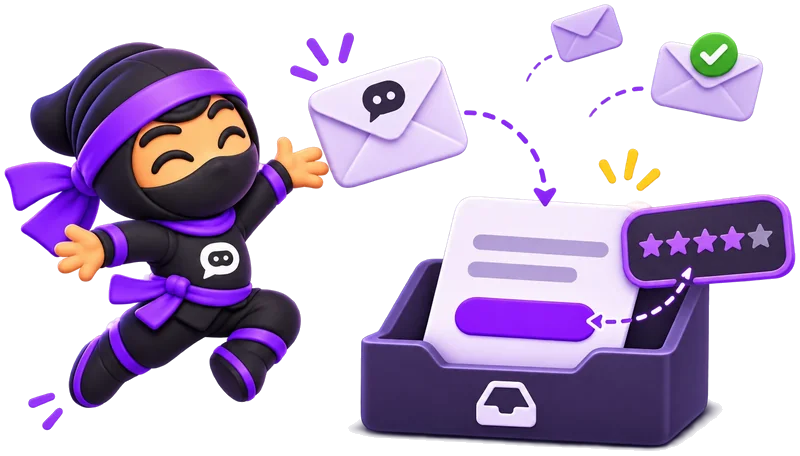
- Any email toolGmail, Outlook or your email service.
- One linkAs a text link or a button.
- Who answeredA personal link per person, from Basic.
- A reportCharts, exports and a public link.
How to send a survey by email.
Three steps, in the email tool you already use.
- 1
Create the survey
Start from a template, with AI or from scratch, and publish it.
- 2
Copy the link
Click Share in the top bar and copy the survey link.
- 3
Put it in your email
Paste it as a link, or add a button with the link in your email service. Send it as usual.
SurveyNinja doesn't send the emails for you: you send them from your own address, so they reach people as your usual mail does.
The link goes in your email.
People click the link or the button and answer in the browser, on a phone or a computer, with no account.
- In Gmail or Outlook, select a few words, click Insert link and paste the survey link.
- In an email service such as Mailchimp, add a button and paste the link as its address.
- To see who answered, use a link with a variable or a unique link, as described below.
- Open Results to read every answer.

Know who answered.
One link for everyone is fine for an anonymous survey. When you need to tie answers to people, use a link variable or unique links.
| How | What it does | Plan |
|---|---|---|
| One survey link | Everyone gets the same link. Answers are not tied to a person unless you ask for a name or email in the survey. | Free |
| A variable in the link | Add email or client_id to the link under Share → URL parameters, and put your email service's merge tag as the value. Each person gets a link with their own data, saved with the response. | Basic |
| Unique links | Create up to 1,000 links at once, or one per name from a list. Each link can accept one response, and every response shows which link it came from. | Standard |
Example with the Mailchimp merge tag for the recipient's email:https://your-account.surveyninja.io/a1b2c3d4?email=*|EMAIL|*How link variables work →
How to write a clear survey email.
The survey can be good, but the email decides whether anyone clicks.
- Say what it is in the subjectA short, plain subject such as "Two minutes on your last order?" is clearer than a vague "We value your feedback".
- Put the link near the topOne line on why you ask, one line on how long it takes, then the link or button. Don't make people scroll for it.
- Name the time honestlyIf the survey takes three minutes, say three minutes. Keep it short enough to finish on a phone.
- Send it while it's freshAsk about an order, a support chat or an event within a day or two, while people still remember it.
- Send one reminderA few days later, send one short reminder to the people who haven't answered. With a variable or unique links you can see who they are.
- Say what happens nextTell people what you will do with the answers. Next time, share what changed because of them.
Ideas for an email survey.
- After an order
How was the delivery? Rate it from 1 to 5 and tell us why.
- After a support ticket
Did we solve your problem? How easy was it to get help?
- Quarterly NPS
How likely are you to recommend us to a friend or colleague?
- After an event
What was the most useful session, and what should we change next time?
- Your team
How was this month at work? Answers are anonymous.
- A course or class
Rate the course, and tell us what to cover in more depth.
Emails SurveyNinja does send.
- A note about each responseYou get an email every time someone finishes the survey, on every plan. Paid plans add more recipients for your team.
- A thank-you to the respondentFrom Basic, SurveyNinja emails people after they finish, to the address from an Email question or a link variable.
What's free, and what comes next.
Surveys, the survey link, anonymous mode and a public results link are free. Paid plans add link variables, a thank-you email, unique links and more responses.
| What you get | Free | Basic | Standard | Premium |
|---|---|---|---|---|
| Price | $0 | $10.50/mo | $25.90/mo | $48.30/mo |
| Responses a month | 100 | 1,000 | 5,000 | 20,000 |
| Surveys | 50 | 100 | 500 | Unlimited |
| Survey link and QR code | Yes | Yes | Yes | Yes |
| An email to you about each response | Yes | Yes | Yes | Yes |
| Logic between questions | Yes | Yes | Yes | Yes |
| Public results link | Yes | Yes | Yes | Yes |
| Export responses | Yes | Yes | Yes | Yes |
| Variables in the link, such as the recipient's email | No | Yes | Yes | Yes |
| A thank-you email to the respondent | No | Yes | Yes | Yes |
| Unique links, one per person | No | No | Yes | Yes |
| Without SurveyNinja branding | No | No | Yes | Yes |
Prices per month, billed yearly, in USD. All plans and prices →
Already paying for a survey tool?
Send us a screenshot of your invoice and get a month of Premium free. Our team also helps you move your surveys to SurveyNinja.
Questions and answers
How do I send a survey by email?
Create the survey in SurveyNinja, click Share and copy the link. Paste it in your email as a link or a button, from Gmail, Outlook or your email service, and send it as usual.
Does SurveyNinja send the emails for me?
No. You send the email from your own address and tool, and SurveyNinja collects the answers. SurveyNinja does email you about each new response, and from Basic it can send a thank-you email to the respondent.
Can I put the questions in the email itself?
No. The email carries a link or a button, and the survey opens in the browser. That way every question type, logic and the report work the same as for any other link.
How do I know who answered?
Add a variable such as email to the link and fill it with your email service's merge tag, from Basic. Or create unique links, one per person, from Standard. Each response then shows whose link it came from.
Can each person answer only once?
Yes. Turn on one response per person in the survey settings, on any plan. Unique links can also accept a single response each, from Standard.
Can the survey be anonymous?
Yes. Turn on anonymous responses, on any plan. In that case send one survey link to everyone rather than personal links.
Does it work with Mailchimp and other email services?
Yes. Any service that lets you add a link works. Most can also put the recipient's data into the link with a merge tag, which fills a variable in the survey link.
Is it free?
Yes. The Free plan includes 50 surveys and 100 responses a month, with the survey link, an email about each response, anonymous mode and a public results link. No credit card.
Didn't find the answer? Write to team@surveyninja.io or use the contact page.
Your survey can be in the next email you send.
Start free with no credit card, put the link in your email and read every answer in one report.