 WooCommerce Post-Purchase Survey: 7 Questions, When to Ask and What to Do Next
Microsoft Teams polls and surveys
A survey for Microsoft Teams with more than one question.
A Teams poll asks one question in a card. Post a SurveyNinja survey link to the chat or channel instead and ask up to 30 questions on the Free plan, with ratings, written answers, logic and a report.
Free plan: 50 surveys and 100 responses a month. What's free →
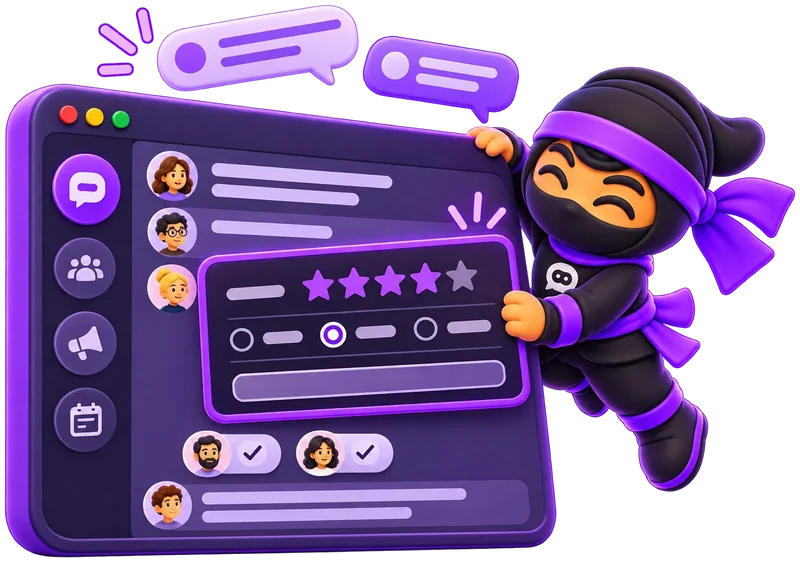
- Many question typesRating, scale, NPS, text and more.
- One linkPaste it in a chat, a channel or a meeting.
- Anonymous if you wantTurn on anonymous responses.
- A reportCharts, exports and a public link.
How to make a poll in Teams.
For a quick vote in a chat or channel, the Teams Polls app is enough.
- 1
Open Polls
In the chat or channel, select Actions and apps next to the message box, then Polls. If it isn't there, find it under Apps.
- 2
Write the question
Add a question and at least two choices. Turn on Multiple selections if people can pick more than one.
- 3
Choose the settings and send
Decide whether to record names and whether people see the results, then preview and send.
From Microsoft Support, checked in November 2026. The results open in Microsoft Forms, where you can also open them in Excel.
Where a poll in a chat stops.
Fine for picking a lunch spot. Hard when you need a team check-in, reasons or a trend over months.
- One questionA poll card asks one thing. A check-in with five questions means five cards in the channel.
- Only choicesIn a chat or channel, people tap an option, so you get a count without ratings, scores or written reasons.
- Only where you posted itPeople answer in the card. Customers, partners or new hires who aren't in the chat never see it.
- No logicEveryone sees the same question. You can't ask a follow-up only to people who gave a low score.
How to create a survey in Microsoft Teams with Forms.
For a form with several questions inside Teams, Microsoft adds Forms to a channel as a tab.
- 1
Add Forms to the channel
Open the channel, select Add a tab (the plus), and choose Forms under Tabs for your team.
- 2
Create a shared form
Choose to create a shared form your team can edit, and give it a name.
- 3
Save and post
Post to the channel about this tab is on by default, so the team sees the form right away.
From Microsoft Support, checked in November 2026. Choose SurveyNinja when the same survey also goes to customers by email, a QR code or your website, with its templates and one report for every channel.
Post a full survey to Teams.
People open the link from the chat or channel and answer in the browser, with no app to install and no SurveyNinja account.
- Create a survey from a template, with AI or from scratch.
- Click Share in the top bar and copy the survey link.
- Paste it in a Teams chat, a channel post or a meeting chat, with a line on why you're asking.
- Open Results to read every answer, filter them and export.

New responses in a Teams channel.
SurveyNinja has no Teams app of its own. On Basic and higher, connect a webhook to Zapier, and Zapier's Microsoft Teams action posts a message to the channel you pick for each new response.
- In Zapier, start a Zap with Webhooks by Zapier, Catch Hook, and copy its address.
- In SurveyNinja, open the survey's Integrations, create a webhook with that address, set Request Type to POST, choose the questions to send, save it and turn it on.
- In Zapier, add the Microsoft Teams action Send Channel Message and pick the team and channel.
Webhooks by Zapier works on paid Zapier plans. Zapier has its own prices and limits.
Teams poll or a survey by link?
Use the poll for a quick vote. Use a survey when you need answers you can read, compare and keep.
| Teams poll | SurveyNinja survey | |
|---|---|---|
| Questions | One per card | Up to 30 on the Free plan, with logic between them |
| Answers | Choices to tap, in a chat or channel | Choice, rating, scale, NPS, text, date and more |
| Who can answer | People in the chat or channel | Anyone with the link, from Teams, email, a QR code or your website |
| Privacy | Names recorded only if you turn it on | Anonymous responses with one switch |
| Follow-up questions | No | Logic jumps based on answers |
| Results | Counts in Microsoft Forms and Excel | Charts for closed questions, filters from Basic, a public results link, export to Excel, CSV or SPSS |
Microsoft Teams is a trademark of Microsoft Corporation. SurveyNinja is not affiliated with Microsoft: you post the survey link yourself, and SurveyNinja does not read Teams messages.
Ideas for a Teams survey.
- Monthly pulse
How was this month at work, from 1 to 5? What would make next month better?
- Team eNPS
How likely are you to recommend our team as a place to work?
- Sprint retro
What went well, what slowed us down, and what do we try next sprint?
- New hire, week four
Do you have what you need to do your job? What was hardest so far?
- After a training
Rate the session, and tell us one thing you will use this week.
- Office or offsite
Which days are you in, and what should the offsite include?
What's free, and what comes next.
Surveys, sharing by link, anonymous responses and a public results link are free. Paid plans add webhooks and Zapier, filters, unique links and more responses.
| What you get | Free | Basic | Standard | Premium |
|---|---|---|---|---|
| Price | $0 | $10.50/mo | $25.90/mo | $48.30/mo |
| Responses a month | 100 | 1,000 | 5,000 | 20,000 |
| Surveys | 50 | 100 | 500 | Unlimited |
| Survey link and QR code | Yes | Yes | Yes | Yes |
| Anonymous responses, one response per person | Yes | Yes | Yes | Yes |
| Logic between questions | Yes | Yes | Yes | Yes |
| Public results link | Yes | Yes | Yes | Yes |
| Export responses | Yes | Yes | Yes | Yes |
| Responses to a Teams channel via webhook and Zapier | No | Yes | Yes | Yes |
| Filter responses | No | Yes | Yes | Yes |
| A separate link per team or person | No | No | Yes | Yes |
| Without SurveyNinja branding | No | No | Yes | Yes |
Prices per month, billed yearly, in USD. All plans and prices →
Already paying for a survey tool?
Send us a screenshot of your invoice and get a month of Premium free. Our team also helps you move your surveys to SurveyNinja.
Questions and answers
Can a Teams poll have more than one question?
A poll card in Teams asks one question with its choices. For several questions, post several polls, or post one SurveyNinja survey link with all of them.
How do I send a survey in a Teams channel?
Click Share in SurveyNinja, copy the survey link and paste it in a channel post or a chat. People open it in the browser and answer there.
Do people need an app or an account to answer?
No. The survey opens in the browser from the link, on a computer or a phone. You need a free SurveyNinja account to create the survey and read the answers.
Is there a SurveyNinja app for Teams?
No. SurveyNinja has no Teams app: you share the link yourself. To get new responses in a channel, connect a webhook to Zapier's Microsoft Teams action, on Basic and higher.
Can the survey be anonymous?
Yes. Turn on anonymous responses in the survey settings, on any plan. A survey also has no name field unless you add one.
Can people outside my organization answer?
Yes. Anyone with the link can answer, so you can send the same survey to customers by email or on your website.
Can I send a separate link to each team?
Yes, with unique links on Standard and higher. Every response shows which link it came from, and each link can accept one response or more.
Is it free?
Yes. The Free plan includes 50 surveys and 100 responses a month, with sharing by link, anonymous responses and a public results link. No credit card.
Didn't find the answer? Write to team@surveyninja.io or use the contact page.
Your survey can be in the channel today.
Start free with no credit card, post the link to Teams and read every answer in one report.