Online survey software From question to answer.
With AI.

Made for Marketing, Customer Success, HR, Product, UX Research, Education, eCommerce, Events

Describe your survey and AI builds it. Share it by link, QR code or a pop-up on your site, see the answers in charts and reports, and do it all from your laptop or your phone.

Create your survey, it’s free
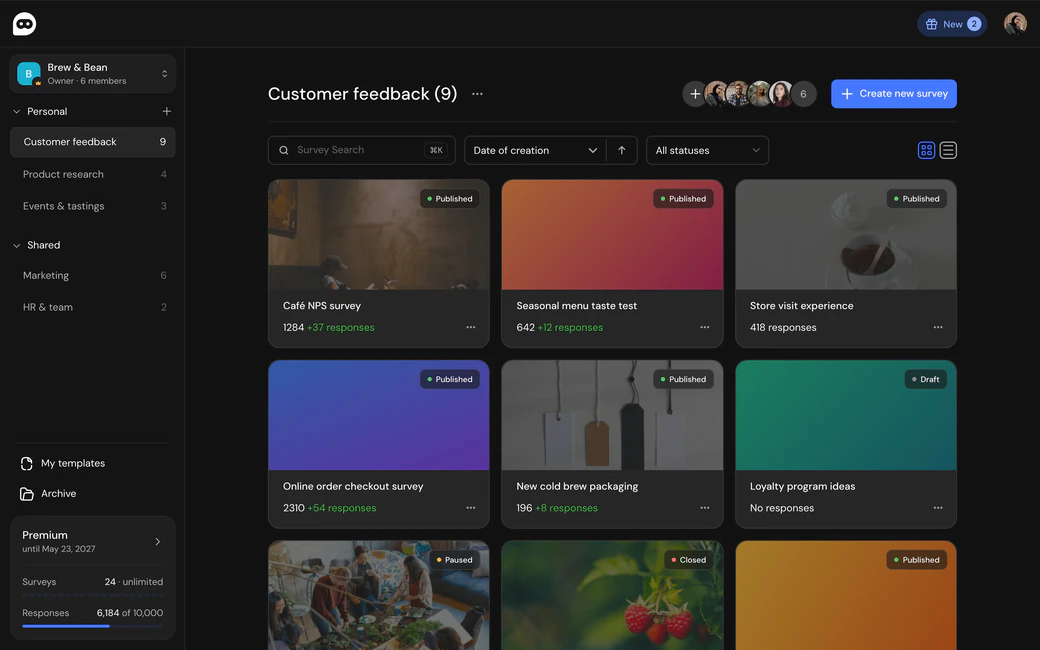
SurveyNinja workspace with surveys, folders and plan usage

Templates

Take a real survey.
Then make it yours.

These are SurveyNinja templates the way your respondents see them. Try one right here. When you sign up, it is copied to your account, ready to change.

Café Survey for Guest Feedback

Ninja AI

Tell it what you need.
Ninja AI builds the survey.

Ninja AI lives right in the survey editor. Describe the survey in plain words, or drop in a questionnaire file or a photo, and it adds the questions, logic, scoring and design. You see every change and apply it with one click.

  • Builds from a file Word, PDF or text with your questionnaire turns into a working survey.
  • Edits on request Logic, quotas, scoring, A/B tests, design and settings, in your words.
  • Polishes any question Rephrase, shorten, proofread or add options in one click.

Ninja AI is on every plan, Free and the trial included, and speaks English, Spanish and Portuguese.

AI at every step

Website surveys

Ask visitors.
Right on your site.

Paste one snippet, and a short survey card appears on the pages you choose, at the moment you choose. You hear from people while they shop, read or sign up.

  • Show it on chosen pages and devices, to a share of visitors.
  • Pick the moment: a delay, a scroll, a click or leaving the page on a computer.
  • Answers land in the same reports, filters and AI report.
  • The script sets no cookies on your site.

On every plan, Free included, with filters from Basic and the AI report on Premium. The format is in beta.

Explore website surveys

Research tools

Test, book and map.
In the same builder.

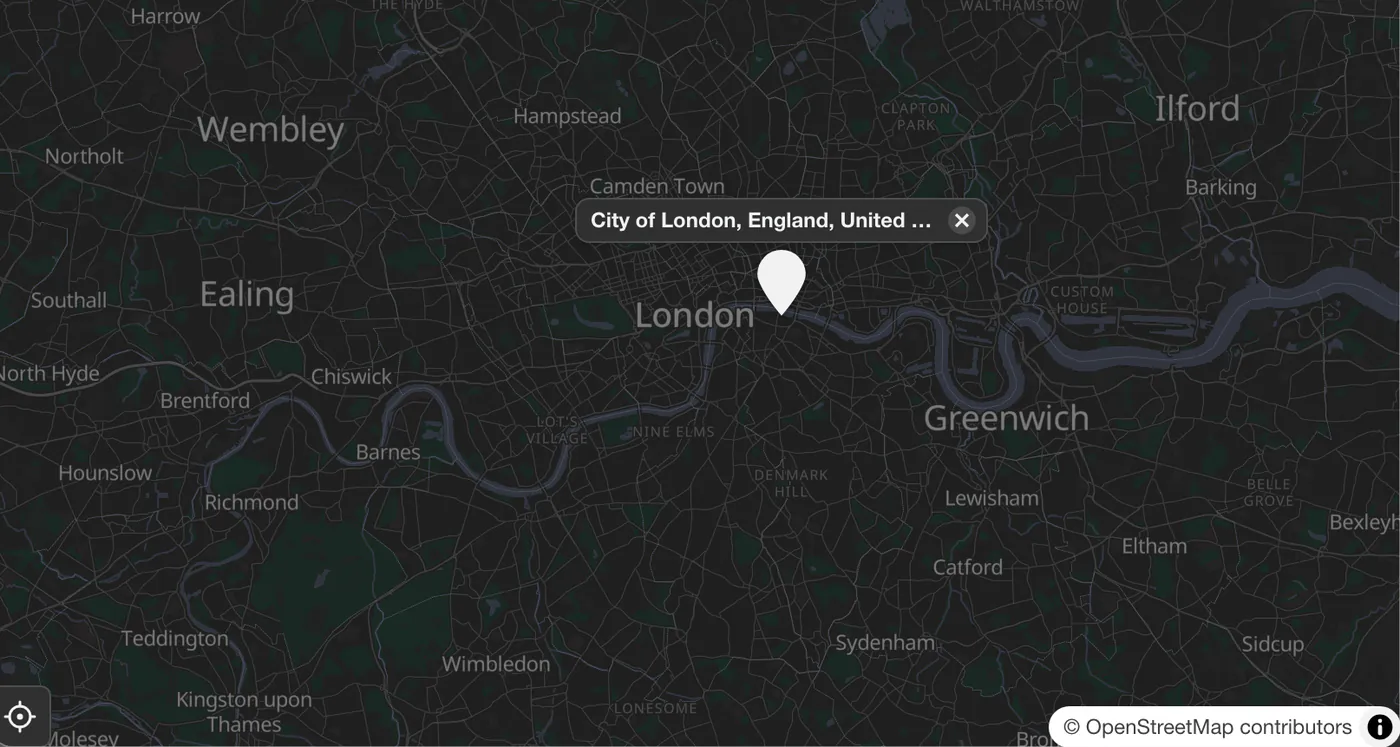
A/B tests, click tests, bookings and maps sit in the same builder as the rest of your questions.

Built with you

Need a feature
we don’t have yet?

Tell us. We’re ready to look at it and build it into SurveyNinja, so you get the tool you were actually waiting for.

  1. Tell us what you need

    Write to team@surveyninja.io or use the contact form.

  2. We look at it with you

    We ask how you’ll use it and work out how to build it.

  3. Built into SurveyNinja

    The feature becomes part of the product you already use.

The ninja slots a new module with a light bulb into the SurveyNinja window

Any device

The full builder.
In your pocket.

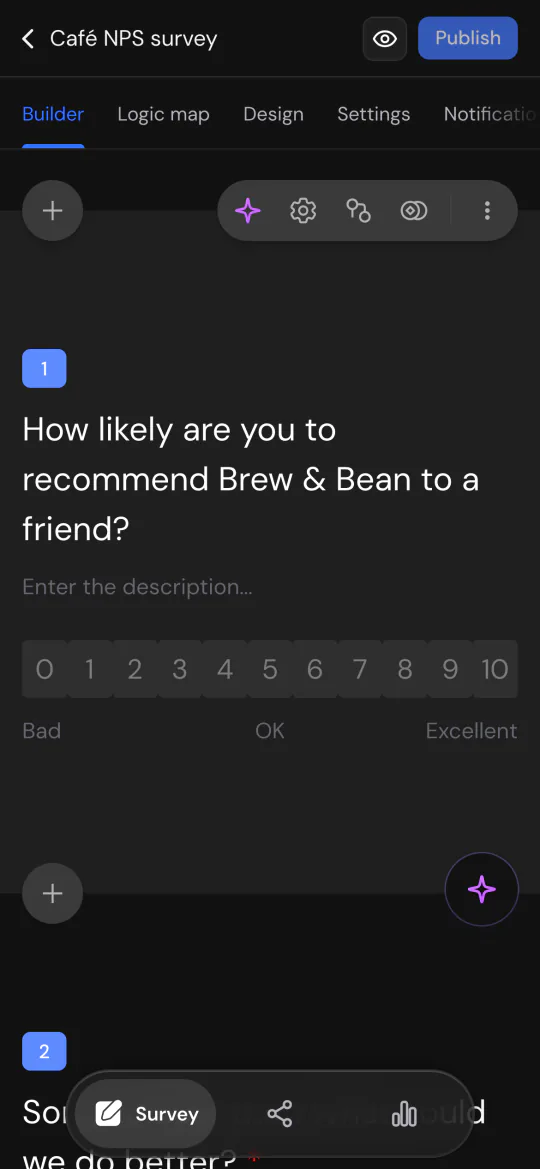
Fix a question on the train, check answers between meetings. On a phone you get the whole builder with nothing cut: questions, logic, design, settings and reports. No app to install.

The survey builder on a phone, with an NPS question
Build Add a question, set a rule, change the design. The whole builder works on a phone.
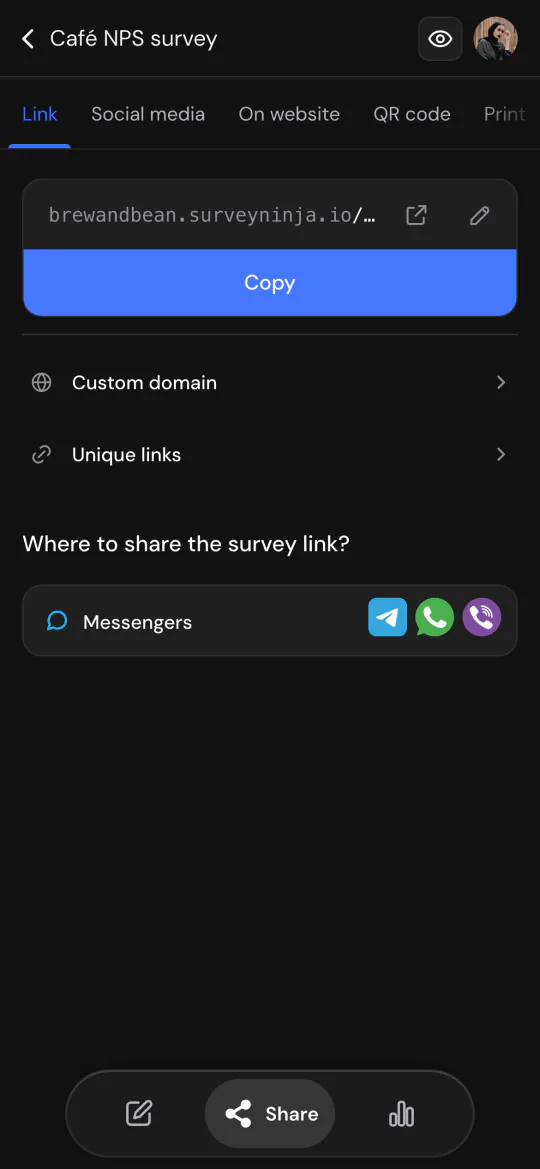
The survey link on a phone, ready to copy
Share Copy the survey link and send it to Telegram, WhatsApp or anywhere else.
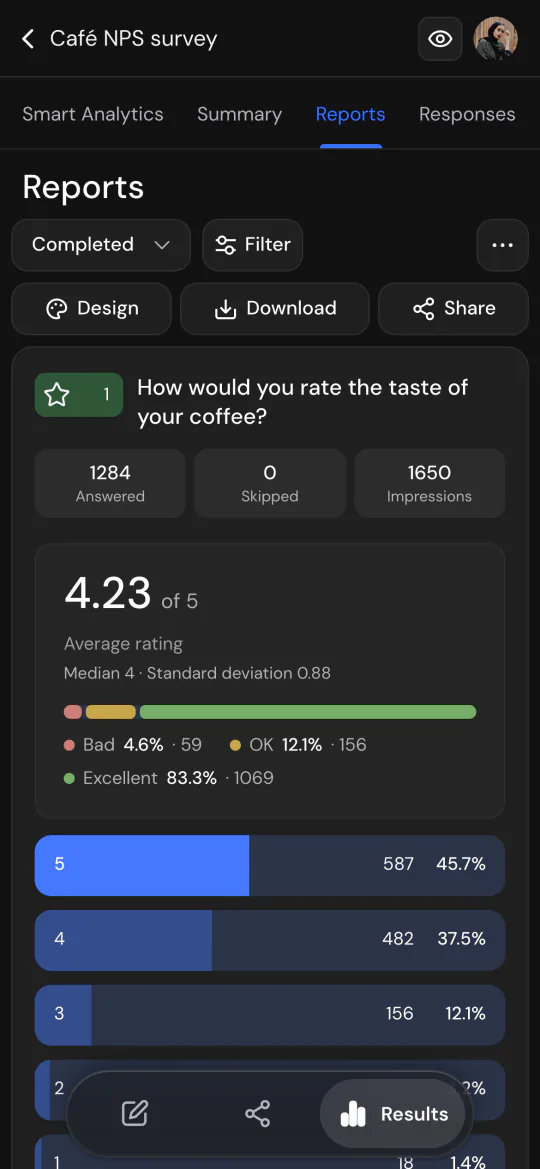
The survey report on a phone: an average rating of 4.23 out of 5
See the results Averages, shares and charts for choice and rating questions, right on your phone.

Four ways to start

How to create a survey, step by step

Features

Professional features by SurveyNinja will help you create your ideal survey!

Logic jumps

Allow your respondents jump to the questions relevant to them
Logic jumps

Detailed summary and analysis

Detailed analytics in the form of charts and pie charts
Detailed summary and analysis

Diverse elements to suit any task

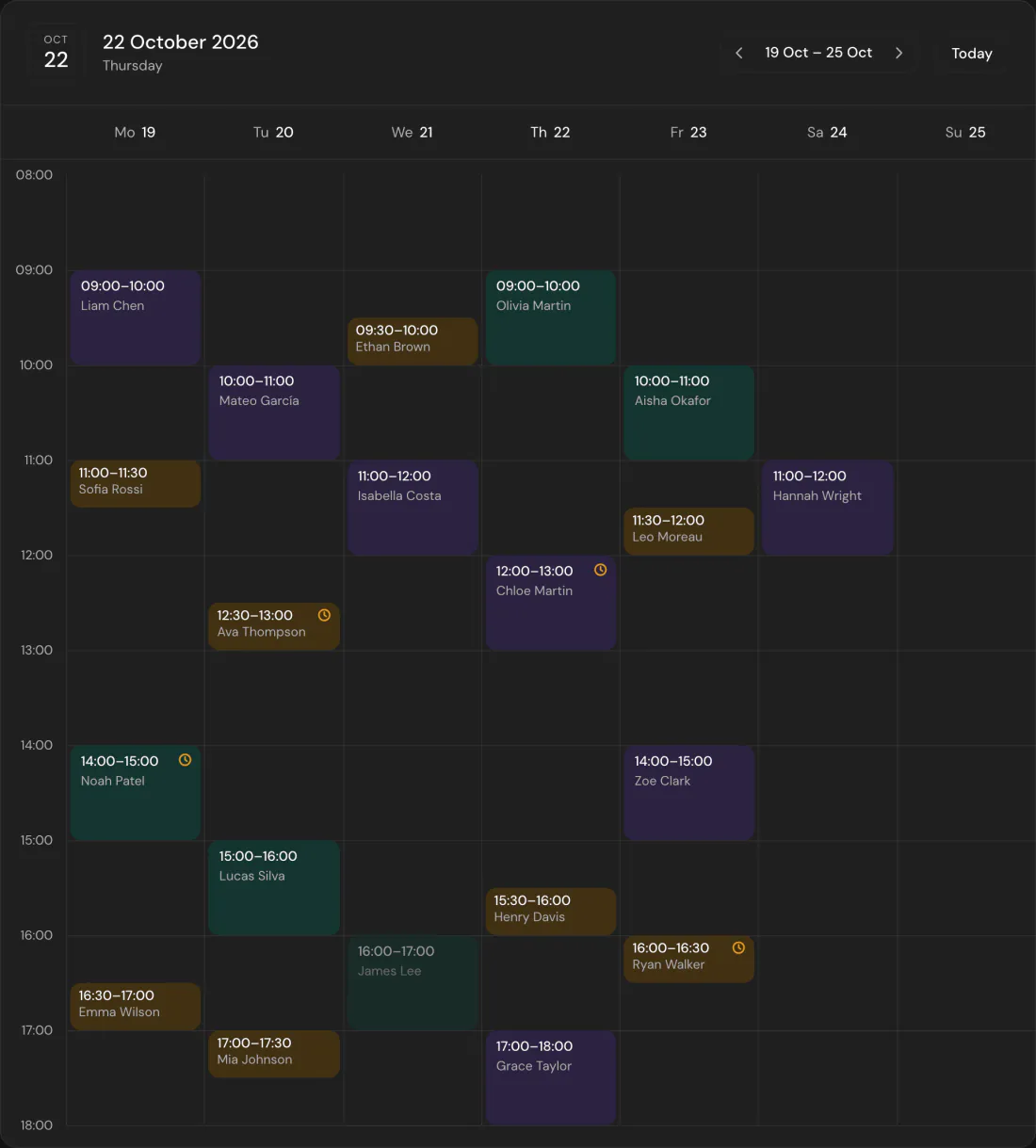
34 question types, from NPS and matrices to click tests, maps and pairwise comparison
Diverse elements to suit any task

Simple and intuitive interface

Thanks to our user-friendly builder you'll create a survey of your dream in no time
Simple and intuitive interface

Wait! There's More!

Here are some features of the SurveyNinja builder that are sure to make your life easier

Adaptive design

Builder and surveys look good on all devices
Adaptive design

Export

Export answers and reports to CSV, Excel, SPSS and PDF

Limits

Close the survey on a date or once it reaches a number of responses

Incomplete Responses

Keep track of answers from respondents who didn't click the 'Send' buttons

Collaboration

Take advantage of the team work by adding users to the folder with your surveys

Why SurveyNinja

Pay less for every answer.
Get help from real people.

5,000 responses a month

What the cheapest plan that covers them costs, per month, billed yearly.

Prices from the vendors’ sites, checked October 15, 2026. Compare with 21 tools

See all plans

Real people, quick answers

Write to team@surveyninja.io or use the form on the site. The team answers you and helps move your surveys from another service.

Open the contact form

Paying another survey tool?

Send us a screenshot of the payment and get a month of Premium for free.

How switching works

Answers go where you work

Send answers to Google Sheets, Zapier, webhooks and Telegram, track respondents with Google Analytics and Meta Pixel, or connect your systems through the API.

  • Google Sheets
  • Zapier
  • Webhooks
  • Telegram
  • Google Analytics
  • Meta Pixel

Questions and answers

Is SurveyNinja free?

Yes. The Free plan has 50 surveys, up to 30 questions in each and 100 responses a month, with logic, quotas, exports, Ninja AI, the AI survey generator and the MCP server. Every new account also gets a 14-day Premium trial. No card is needed.

What is Ninja AI?

An AI assistant inside the survey editor. It builds a survey from your description, a questionnaire file or a photo, edits questions, logic, quotas, scoring and design on request, and polishes wording in one click. Every change waits for you to apply it. Ninja AI is on every plan, including Free and the trial.

Can I build surveys on my phone?

Yes. The whole builder works in a phone browser: questions, logic, design, settings, answers and reports. There is no app to install.

What are website surveys?

Short survey cards that appear on your own site. You paste one snippet, choose the pages, devices, share of visitors and the moment to show the card, and answers arrive in your SurveyNinja reports. They are available on every plan, including Free, and the format is in beta.

How is SurveyNinja different from Google Forms?

Google Forms collects answers. SurveyNinja also helps you understand them: an AI report on open answers (Premium), research question types such as click tests and pairwise comparison, A/B tests of question wording, quotas, SPSS export, your own branding (from Basic) and surveys on your website. Your Google Forms surveys move over by import.

Can I move my surveys from Typeform or Google Forms?

Yes. Surveys from Typeform and Google Forms are imported in one click on every plan. For other services the team helps you move them. If you pay for another survey tool, send us a screenshot of the payment and get a month of Premium for free.

Which languages does SurveyNinja support?

The builder, the survey screens, the help center and Ninja AI work in English, Spanish and Portuguese.

Where is my data stored?

In SurveyNinja’s cloud. Every account can turn on two-step sign-in (2FA), Premium and Enterprise add single sign-on (SSO), and teams that must keep data on their own servers can run SurveyNinja on-premise in Docker.

What if a feature I need is missing?

Write to us at team@surveyninja.io or through the contact form. We look at every request, and the roadmap shows what we are building next.

The SurveyNinja ninja flying on a rocket

Your first answers
can come in today

Build a survey in minutes from a template, from scratch or with AI. Share the link and watch the answers arrive.