 Google Forms Limits: Responses, File Uploads, Timers and Logic, With Workarounds
Anonymous surveys and forms
Anonymous surveys for the answers people wouldn't sign.
Turn on anonymous mode and nobody on your team sees who answered. Ask up to 30 questions on the Free plan, share one link and read every answer in a report.
Free plan: 50 surveys and 100 responses a month, anonymous mode included. What's free →
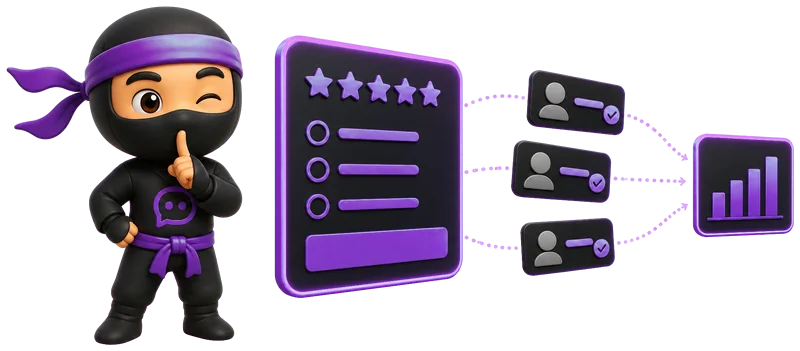
- One switchAnonymous mode on every plan, Free included.
- Said up frontShow an "Anonymous" label before people answer.
- Stays anonymousResponses collected in anonymous mode stay anonymous.
- A reportCharts, exports and a public link.
How to create an anonymous survey.
A few minutes, on any plan.
- 1
Create the survey
Start from a template, describe it to Ninja AI or build it from scratch.
- 2
Turn on anonymous mode
In the survey's Settings tab, under Identification and access, switch on Anonymous survey and Show "Anonymous" label.
- 3
Share one link
Copy the link or the QR code from Share, then read the answers in Results.
Questions that keep it anonymous.
The switch makes the responses anonymous. These habits keep the questions themselves from pointing to a person.
- Skip the name and emailA survey has no name field unless you add one. Leave it out, and make any contact question optional.
- Keep groups largeDepartment, role and years at the company together can point to one person. Ask only what you will compare.
- One link for everyoneUnique links show which link a response came from. For an anonymous survey, send the whole group the same link.
- Say what happens nextTell people who reads the answers and when they will hear the results.
Share it where people already are.
People open the link and answer in the browser, with no app to install and no account.
- Paste the link in a team chat, an email or your intranet.
- Print the QR code on a poster, a meeting room door or a suggestion box.
- Embed the survey on your website or show it as a pop-up.
- Read every answer in Results and export them to Excel, CSV or SPSS.

What people answer better anonymously.
- Employee feedback
What would make your work easier next month?
- eNPS
How likely are you to recommend our company as a place to work?
- 360-degree feedback
What should your manager start, stop and keep doing?
- Suggestion box
What is one thing we should change, and why?
- Course evaluation
How clear were the lessons, from 1 to 5? What would you change?
- Exit survey
What was the main reason you decided to leave?
What's free, and what comes next.
Anonymous mode, sharing by link and QR code, logic and a public results link are free. Paid plans add filters, more responses and no branding.
| What you get | Free | Basic | Standard | Premium |
|---|---|---|---|---|
| Price | $0 | $10.50/mo | $25.90/mo | $48.30/mo |
| Responses a month | 100 | 1,000 | 5,000 | 20,000 |
| Surveys | 50 | 100 | 500 | Unlimited |
| Anonymous mode and the "Anonymous" label | Yes | Yes | Yes | Yes |
| Survey link, QR code and embed | Yes | Yes | Yes | Yes |
| Logic between questions | Yes | Yes | Yes | Yes |
| Public results link | Yes | Yes | Yes | Yes |
| Export responses | Yes | Yes | Yes | Yes |
| Filter responses | No | Yes | Yes | Yes |
| Without SurveyNinja branding | No | No | Yes | Yes |
Prices per month, billed yearly, in USD. All plans and prices →
Already paying for a survey tool?
Send us a screenshot of your invoice and get a month of Premium free. Our team also helps you move your surveys to SurveyNinja.
Questions and answers
How do I make a survey anonymous?
Open the survey's Settings tab and switch on Anonymous survey under Identification and access. It works on every plan, Free included.
Can I see who answered an anonymous survey?
No. With anonymous mode on, neither you nor your team sees who answered. You see the answers themselves, so don't ask for a name or an email.
Do respondents know the survey is anonymous?
Yes, if you switch on Show "Anonymous" label. People see the label in the survey before they answer, with a short explanation on hover or tap.
What happens if I turn anonymous mode off later?
Responses collected while it was on stay anonymous. Only the responses that come in after you turn it off are no longer anonymous.
Can I make an anonymous feedback form?
Yes. Forms and surveys are built the same way in SurveyNinja: add text fields, ratings or choices, switch on anonymous mode and share the link. The suggestion box template is a ready start.
Do people need an account to answer?
No. The survey opens in the browser from the link or the QR code, on a phone or a computer.
Which surveys work best anonymously?
Employee feedback, eNPS, 360-degree reviews, exit surveys, course evaluations and suggestion boxes: anywhere people might hold back if their name were on the answer.
Is it free?
Yes. The Free plan includes 50 surveys and 100 responses a month, with anonymous mode, sharing by link and QR code and a public results link. No credit card.
Didn't find the answer? Write to team@surveyninja.io or use the contact page.

Your anonymous survey can go out today.
Start free with no credit card, switch on anonymous mode and share one link.