 Google Forms Limits: Responses, File Uploads, Timers and Logic, With Workarounds
Customer satisfaction surveys on WhatsApp
Customer satisfaction surveys on WhatsApp, where your customers already are.
Send the survey link in the chat after an order or a visit. Customers answer in the browser in a few taps, and you see ratings, reasons and NPS in one report.
Free plan: 50 surveys and 100 responses a month. What's free →
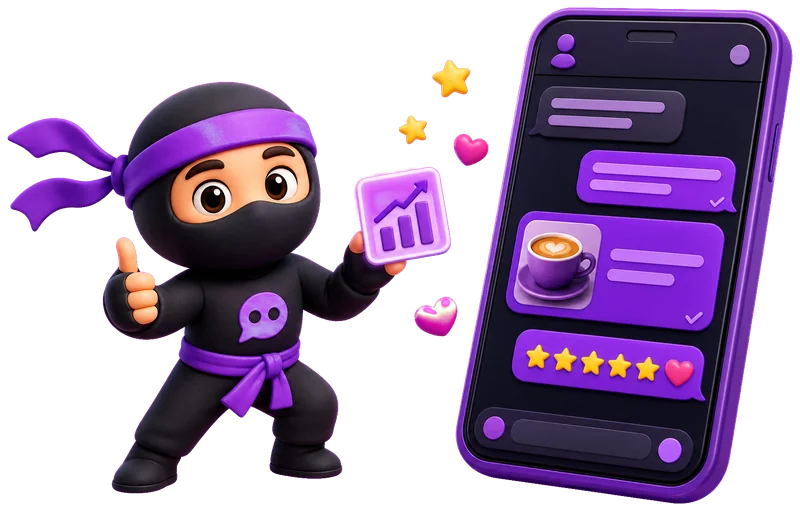
- A rating and a reasonStars, NPS, scales and open answers.
- A link with a previewA title, a description and an image in the chat.
- A question for each scoreLow scores get asked why.
- A reportCharts, NPS and exports.
How to send a satisfaction survey on WhatsApp.
You send the link from your own WhatsApp, and customers answer in the browser, with no app and no account.
- Create the survey from the satisfaction or NPS template, with AI or from scratch.
- Click Share and open the Social media tab. Set the title, description and image of the link preview.
- Choose WhatsApp to open it with the link ready, or copy the link and paste it in the chat with your customer.
- Open Results to read the ratings and reasons.

Know what to do with every answer.
A score without context helps little. These features show which order it came from and what went wrong.
- The order number in the linkFrom Basic, put the order or customer ID in the link under Share → URL parameters. It is saved with the response.
- Low score, extra questionWith logic, people who rate 1 or 2 see a question about what went wrong. In NPS, each group gets its own reason question.
- An email for every answerOn every plan, you get an email for each new response and can reach an unhappy customer quickly.
- One response per personOn every plan, the survey accepts one response per person, by cookie, IP address or a link parameter.
Questions for your satisfaction survey.
- After a delivery
How was the delivery? Rate it from 1 to 5.
- NPS
From 0 to 10, how likely are you to recommend us to a friend?
- After support
Did we solve what you needed?
- Customer effort
How easy was it to get your issue solved?
- Restaurant or delivery
What did you think of the food and the waiting time?
- Salon, clinic or gym
What would make you come back more often?
Ratings, reasons and NPS in one report.
Answers from WhatsApp, email and QR codes land in the same report.
- A chart for every closed question, with the average and median for rating questions.
- NPS from −100 to 100 and the share of promoters, passives and detractors, on every plan.
- Filters by score or by answer from Basic.
- Export to Excel, CSV or SPSS and a public link to show the results to your team.

What's free, and what comes next.
Surveys, the WhatsApp link preview, logic, an email for every answer and the report with NPS are free. Paid plans add the order number in the link, filters, unique links and more responses.
| What you get | Free | Basic | Standard | Premium |
|---|---|---|---|---|
| Price | $0 | $10.50/mo | $25.90/mo | $48.30/mo |
| Responses a month | 100 | 1,000 | 5,000 | 20,000 |
| Surveys | 50 | 100 | 500 | Unlimited |
| Link, WhatsApp preview and QR code | Yes | Yes | Yes | Yes |
| Logic between questions | Yes | Yes | Yes | Yes |
| An email for every new response | Yes | Yes | Yes | Yes |
| Report with NPS and exports | Yes | Yes | Yes | Yes |
| Order or customer ID in the link | No | Yes | Yes | Yes |
| Filter responses | No | Yes | Yes | Yes |
| A unique link for each customer | No | No | Yes | Yes |
| Without SurveyNinja branding | No | No | Yes | Yes |
Prices per month, billed yearly, in USD. All plans and prices →
Already paying for a survey tool?
Send us a screenshot of your invoice and get a month of Premium free. Our team also helps you move your surveys to SurveyNinja.
Questions and answers
How do I send a satisfaction survey on WhatsApp?
Create the survey in SurveyNinja, click Share, open the Social media tab and choose WhatsApp. The link opens in your WhatsApp ready to send to the customer, with a title, description and image in the preview.
Does SurveyNinja send the survey on WhatsApp for me?
No. SurveyNinja has no WhatsApp integration and neither sends nor reads messages. You send the link from your WhatsApp, and the answers come to SurveyNinja.
Do customers need to install an app?
No. The survey opens in the phone's browser straight from the chat, with no app and no account.
Can I tell which order an answer is about?
Yes. From Basic, put the order number or customer ID in the link under Share → URL parameters. From Standard, you can also create a unique link for each customer.
Which questions should I ask?
A rating from 1 to 5 or the NPS question from 0 to 10, an open question about the reason and, if you like, one about what to improve. The NPS survey template asks the score and a reason for each group, and you can add one more question.
When should I send it?
On the day of the delivery or the visit, while the customer still remembers it. Say in the message how long it takes, for example "it takes 1 minute".
Can the survey be anonymous?
Yes. Turn on anonymous mode in the survey settings, on any plan, and don't add the order number or customer ID to an anonymous survey.
Is it free?
Yes. The Free plan includes 50 surveys and 100 responses a month, with the WhatsApp link, logic, an email for every answer and the report with NPS. No credit card.
Didn't find the answer? Write to team@surveyninja.io or use the contact page.

Your satisfaction survey can be on WhatsApp today.
Start free with no credit card, send the link to your customer and read every rating in one report.