 Google Forms Limits: Responses, File Uploads, Timers and Logic, With Workarounds
Video surveys
Get answers on video, right inside your survey.
People record a video answer from their camera, upload one or type instead. Answers in English, Spanish and Portuguese come with a transcript, so you can watch them, read them and find one in seconds.
Video answers are on Premium. The 14-day trial includes them, no credit card. Plans →
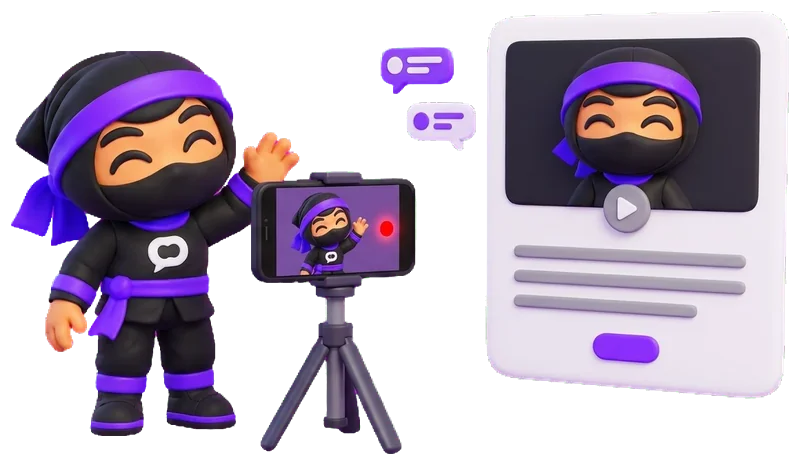
- In the browserNo app to install.
- Up to 5 minutesYou set the length.
- TranscriptsIn English, Spanish and Portuguese.
- Private by defaultShared only if you turn it on.
How to make a video survey.
One question type, three steps.
- 1
Add a Video response question
Write the question, set the longest answer from 10 seconds to 5 minutes and choose whether people can also upload a video or type.
- 2
Share the survey
Send the link, a QR code or an email, or put the survey on your site. People answer from a phone or a computer.
- 3
Watch and read the answers
Each answer comes with a player, and answers in English, Spanish and Portuguese with a transcript. Search the transcripts and let the report group the answers into themes.
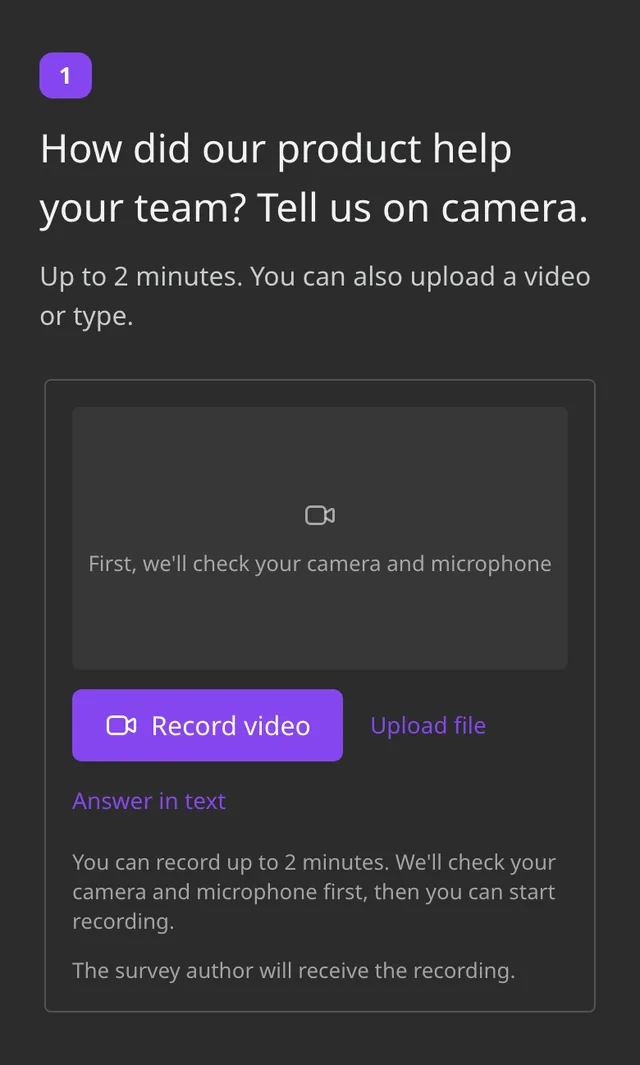
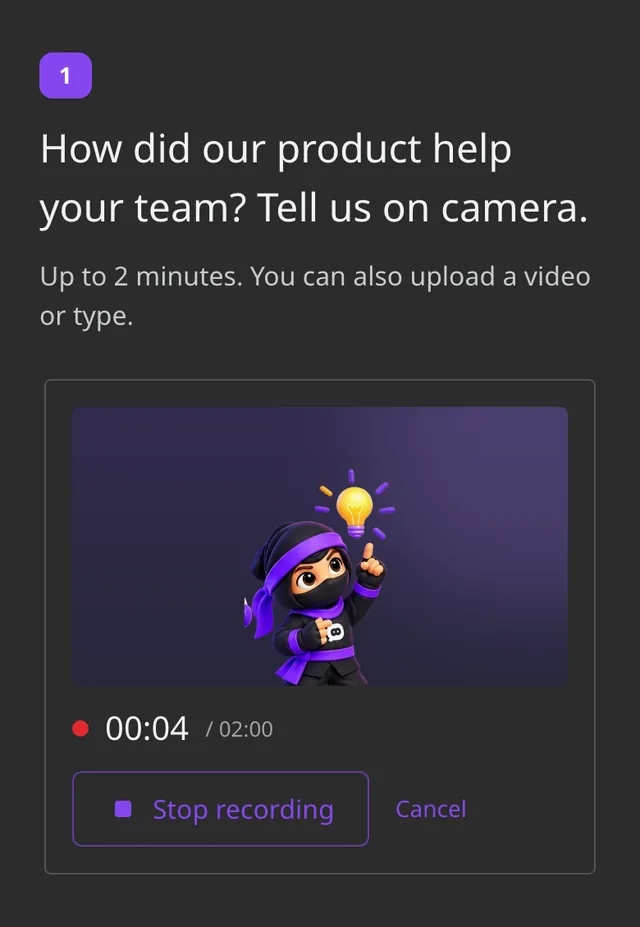
Recording takes one tap.
The survey checks the camera and microphone first, then records with a timer next to the time limit.
- Record in the browser on a phone or a computer.
- Upload a video they already have: MP4, MOV or WebM.
- Answer in text if they would rather not be on camera.
- The survey says the recording goes to the survey author.
Answers in three languages come with a transcript.
Watch an answer, read it, or find the one you need by a word someone said.
- A player and the transcript next to each answer, in Safari and on iPhone too.
- Search the transcripts together with the typed answers.
- Filter by video or text answers and by transcript status.

See what comes up most.
The Themes view reads the transcripts and groups the answers by topic and tone, with quotes you can play from the right second.
- Export the transcripts to Excel, CSV, SPSS, Word and PDF.
- Share a link to the answers with or without the recordings.

Recordings stay private.
Videos are not on a public server. They open by a short-lived link after your access is checked.
What to ask on video.
- Customer testimonials
How did our product help your team?
- Product feedback
Show us where you got stuck.
- User research
Walk us through how you plan your week.
- Candidate intros
Tell us about a project you are proud of.
- Course and event feedback
What will you use from today's session?
- Team check-ins
What went well this month, and what got in the way?
How to get good video answers.
Short, clear and easy to say yes to.
- One question per videoA single open question gets a focused answer. Put the rest of the survey in quick choice or rating questions.
- Keep it shortSixty to ninety seconds is enough for most answers. Ask for the one thing you need to see.
- Leave a way outKeep Answer in text on, so people who can't talk right now still answer.
- Say how you will use itIf you plan to publish testimonials, ask for permission in the survey, for example with a yes or no question.
Video answers come with Premium.
Try them in the 14-day trial with 20 transcription minutes. Premium includes 100 minutes a month, and you can add packs any time.
| What you get | Free | Basic | Standard | Premium |
|---|---|---|---|---|
| Price | $0 | $10.50/mo | $25.90/mo | $48.30/mo |
| Responses a month | 100 | 1,000 | 5,000 | 20,000 |
| Video and audio responses | No | No | No | Yes |
| Transcription minutes | — | — | — | 100 a month |
| Extra minutes | — | — | — | 1,000 min for $20 |
| Question types | 18 | All but map, HTML, audio and video | All but audio and video | All 36 |
| Logic and quotas | Yes | Yes | Yes | Yes |
Prices per month, billed yearly, in USD. All plans and prices →
Paying for a separate video feedback tool?
Send us a screenshot of your invoice and get a month of Premium free. Our team also helps you move your surveys to SurveyNinja.
Questions and answers
How do I make a video survey?
Add a Video response question to any survey, set the longest answer and share the survey as usual. Each answer arrives with a player, and answers in English, Spanish and Portuguese with a transcript.
Do people need to install an app?
No. They record in the browser on a phone or a computer. The survey checks the camera and microphone before recording starts.
How long can a video answer be?
You choose for each question, from 10 seconds to 5 minutes. The default is 2 minutes.
Can people upload a video instead of recording?
Yes, if you leave Upload file on: MP4, MOV or WebM, up to 150 MB and within your plan's file limit. They can also answer in text if you keep that option on.
How does transcription work?
SurveyNinja transcribes answers in English, Spanish and Portuguese automatically after the survey is sent. Premium includes 100 transcription minutes a month and the trial 20. Extra packs of 1,000, 5,000 and 20,000 minutes cost $20, $80 and $258 and last 12 months.
Which languages can it transcribe?
Automatic transcription works for answers in English, Spanish and Portuguese. Recordings in other languages are still saved: you can play and download them, but they don't get a reliable transcript.
Who can watch the videos?
Only people in your workspace with access to the results. Recordings are not on a public server, and a link to a video works only for a short time. A shared link to the answers shows the recordings only if you turn that on.
Which plan do I need?
Premium or Enterprise. The 14-day trial includes video and audio answers with 20 transcription minutes, no credit card needed.
Didn't find the answer? Write to team@surveyninja.io or use the contact page.

Hear it from them, on video.
Start the 14-day trial, add a Video response question and share the link today.