


Old Responses and Question Versions
Updated
On this page
If you change a question after it has received responses, the old answers may no longer match the new wording or options. To keep the report accurate, SurveyNinja creates a new version of the question and keeps the responses to the earlier version separately. These are old responses.
When a new version is created
A new version appears after you publish a survey in which you changed:
- the question title or type;
- the answer options: added, removed or renamed an option;
- settings that change what a respondent can answer, for example the number of stars in a rating, the range of a scale, or matrix rows and columns.
Other changes, such as the question description, the required setting, the design or the survey settings, don't create a new version.
Choosing how the edit shows in the report
When you start editing a question that already has responses, SurveyNinja asks How should the edit be reflected in the report?
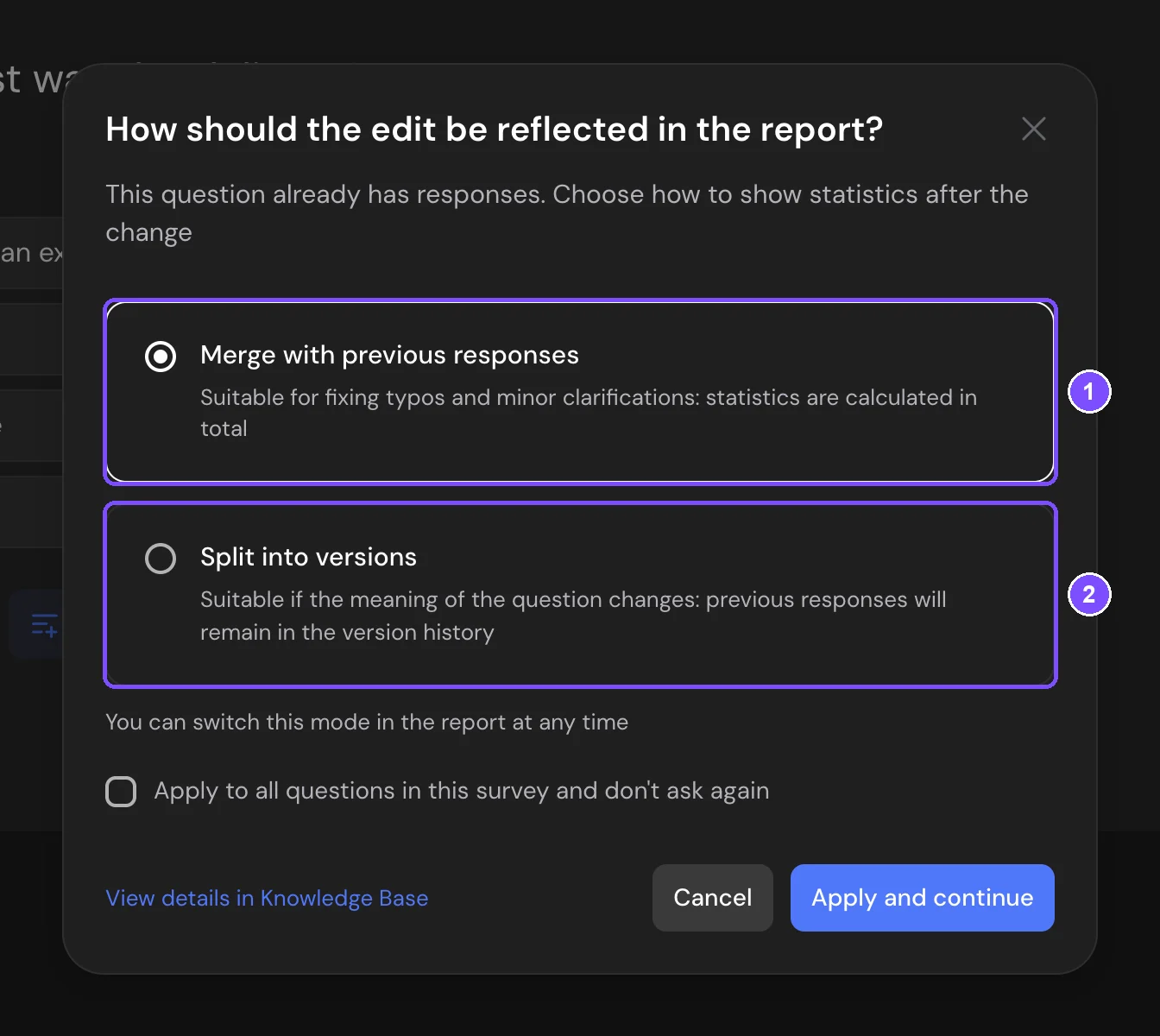
- Merge with previous responses (1) is selected by default. Use it for typos and small clarifications: the report counts all responses to the question together. This turns on Merge versions for this question.
- Split into versions (2) is for changes in meaning: the earlier responses stay in the version history of the question.
Click Apply and continue. Cancel discards the edit. To use the same choice for every question of the survey and stop seeing the window, tick Apply to all questions in this survey and don't ask again. With Merge with previous responses, this turns on Merge question versions in the report in Settings. With Split into versions, the window stops appearing only in this browser. You can change the choice later in the report, see Merging versions.
Viewing old responses
- Open Results → Reports.
- On the question card, click the history icon (1). Its tooltip says Old responses.
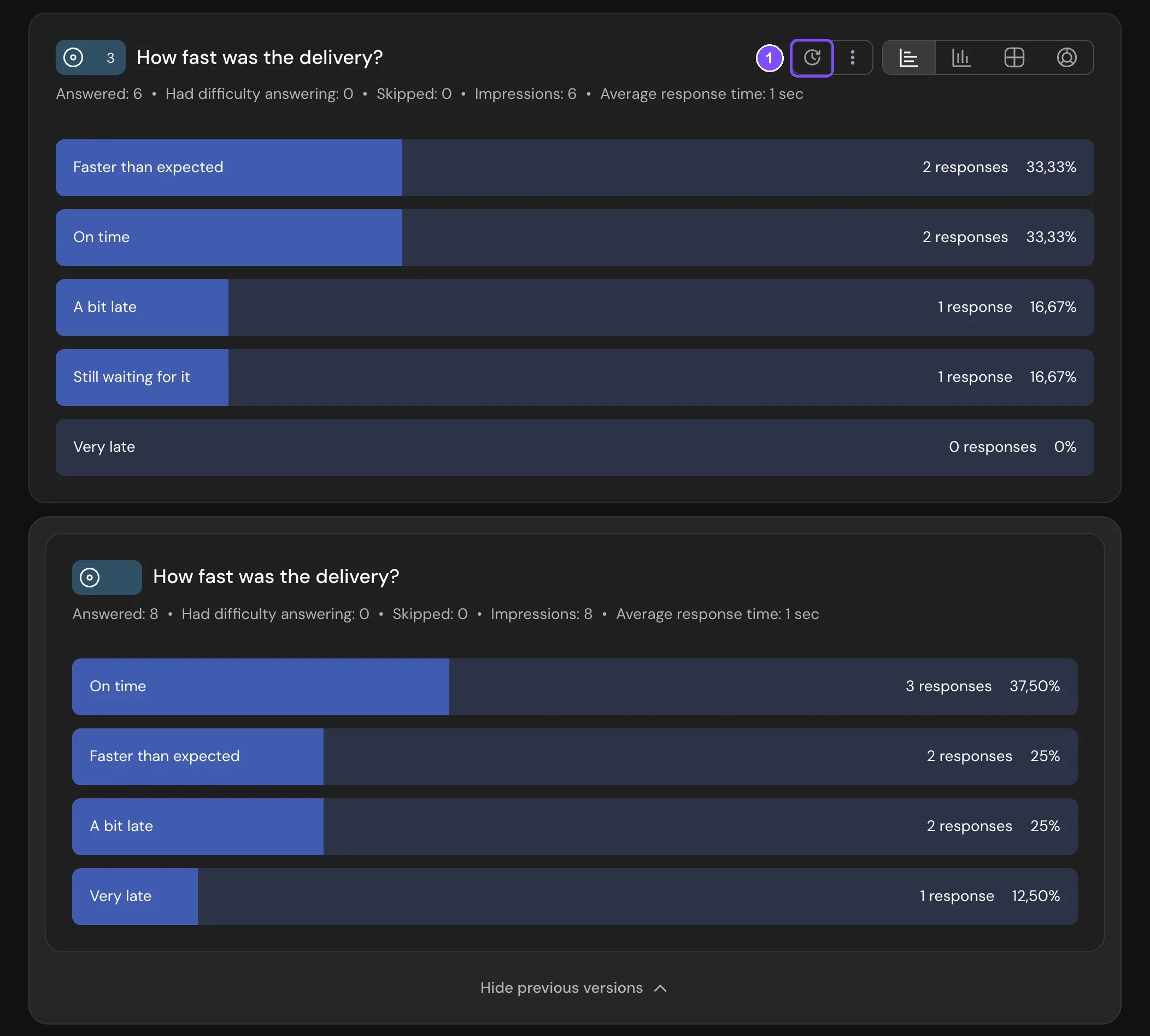
Previous versions of the question open under the card, each with its own results. To collapse them, click Hide previous versions.
If the icon is inactive, the question has no previous versions.
Merging versions
You can count the responses to all versions together in the current version.
For one question: click the three-dot button next to the history icon and turn on Merge versions.

For all questions of the survey: go to Settings → Report and turn on Merge question versions in the report. The history icons then disappear from the cards: every question shows all its responses in the current version.
Note. Options removed from the latest version are not shown after merging, so the percentages may add up to less than 100%. Merging doesn't change the responses themselves: turn it off at any time to see the versions separately again.
Old responses in other places
- Responses shows each response as the respondent gave it.
- Downloaded files contain the responses to all versions of a question in the same column.