 25 Questions for a Travel Agency Customer Satisfaction Survey
Media Choice Questions
Updated
On this page
In a Media Choice question, the answer options are images, videos or audio clips instead of text. The respondent clicks a card to answer, for example "Which logo do you like best?" with three logo drafts, or "Which jingle fits our brand?" with three audio clips.
To show a picture or video above the question itself, use Media in the question settings instead. See Adding Multimedia.
Adding a Media Choice question
- In Builder, click + above or below a question.
- In the Choice section, click Media Choice. The question appears with 2 empty cards.
- Click an empty card. The Media window opens: upload a file on the Upload tab, pick one from the Image or Video library, or reuse a file from Uploaded.
- To add more options, click the card with +. To add many images at once, drag them from your computer onto this card: each image becomes an option.
Each card has buttons to Replace the file, open the image Settings (gear, for images only) and Delete the option. With Labels on, type a caption under the card. More about adding questions: Question Types.
| File | Formats | Maximum size |
|---|---|---|
| Image | SVG, PNG, JPG, JPEG, GIF | 10 MB |
| Video | MP4, WEBM, OGV, MOV, M4V | 50 MB |
| Audio | MP3, WAV, OGG, AAC, FLAC, WMA, M4A, ALAC, AIFF | 10 MB |
Settings
Click Settings (the gear) on the question.
| Setting | What it does |
|---|---|
| View | Grid shows the options as cards in rows. List shows them one under another, each with a small preview and its caption. |
| Columns | For Grid: 1, 2, 3 or 4 cards in a row. |
| Multiple choice | Lets the respondent pick several options. |
| Labels | Shows a caption under each card. In the List view, captions are always shown. |
| Random order | Shuffles the options for each respondent. To keep an option in its place, click Pin position on its card. |
| Restricting selection | Appears when Multiple choice is on. Sets Min. amount and Max. amount of options to pick. The question becomes required when Min. amount is above 0. |
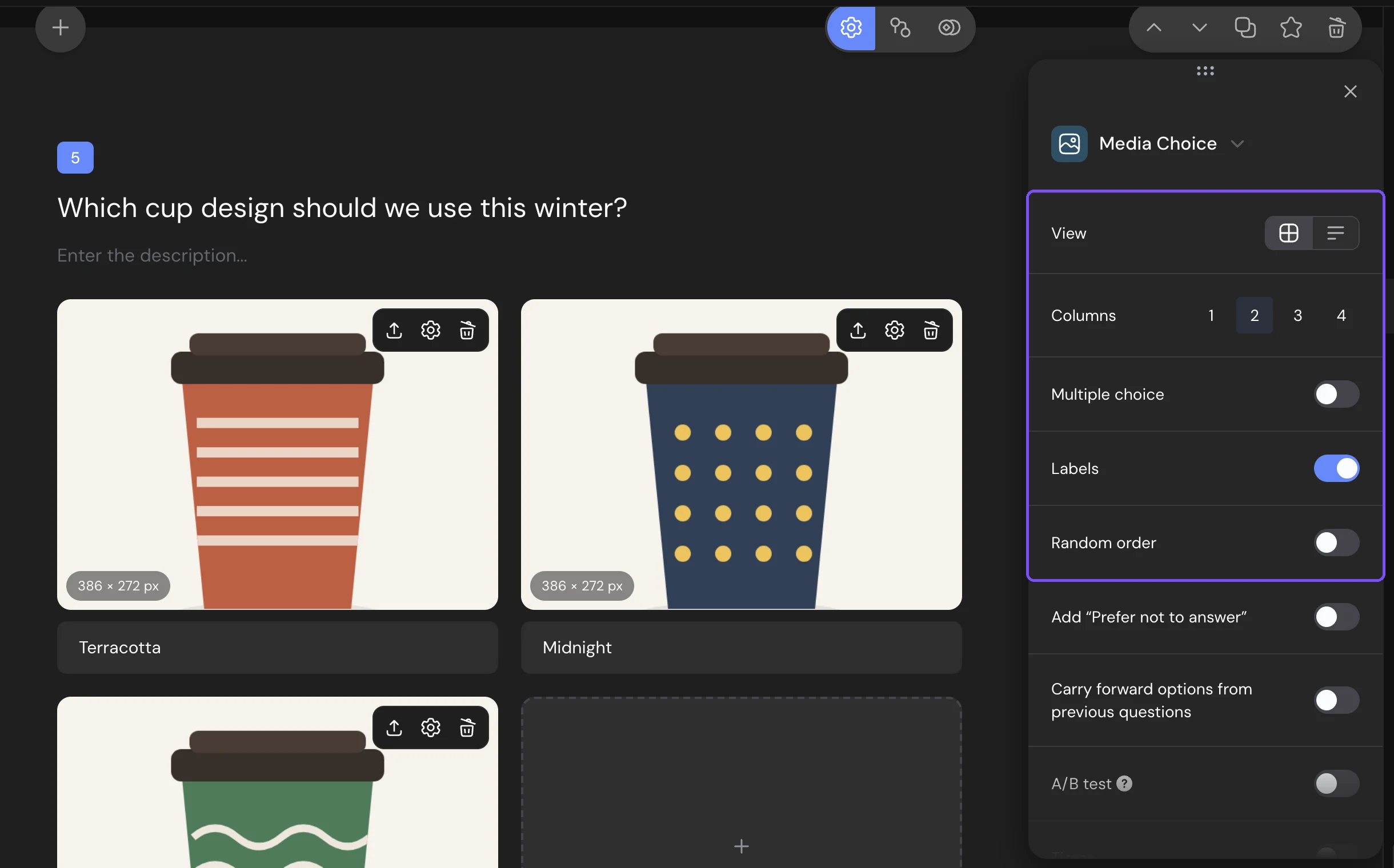
Required response, Add “Prefer not to answer”, Carry forward options from previous questions and the other shared settings are described in Question Settings.
What respondents see
On a computer, the cards follow the View and Columns you set. On a screen up to 840 px wide, the grid shows 2 cards in a row (1 if you set 1 column), and the list takes the full width.
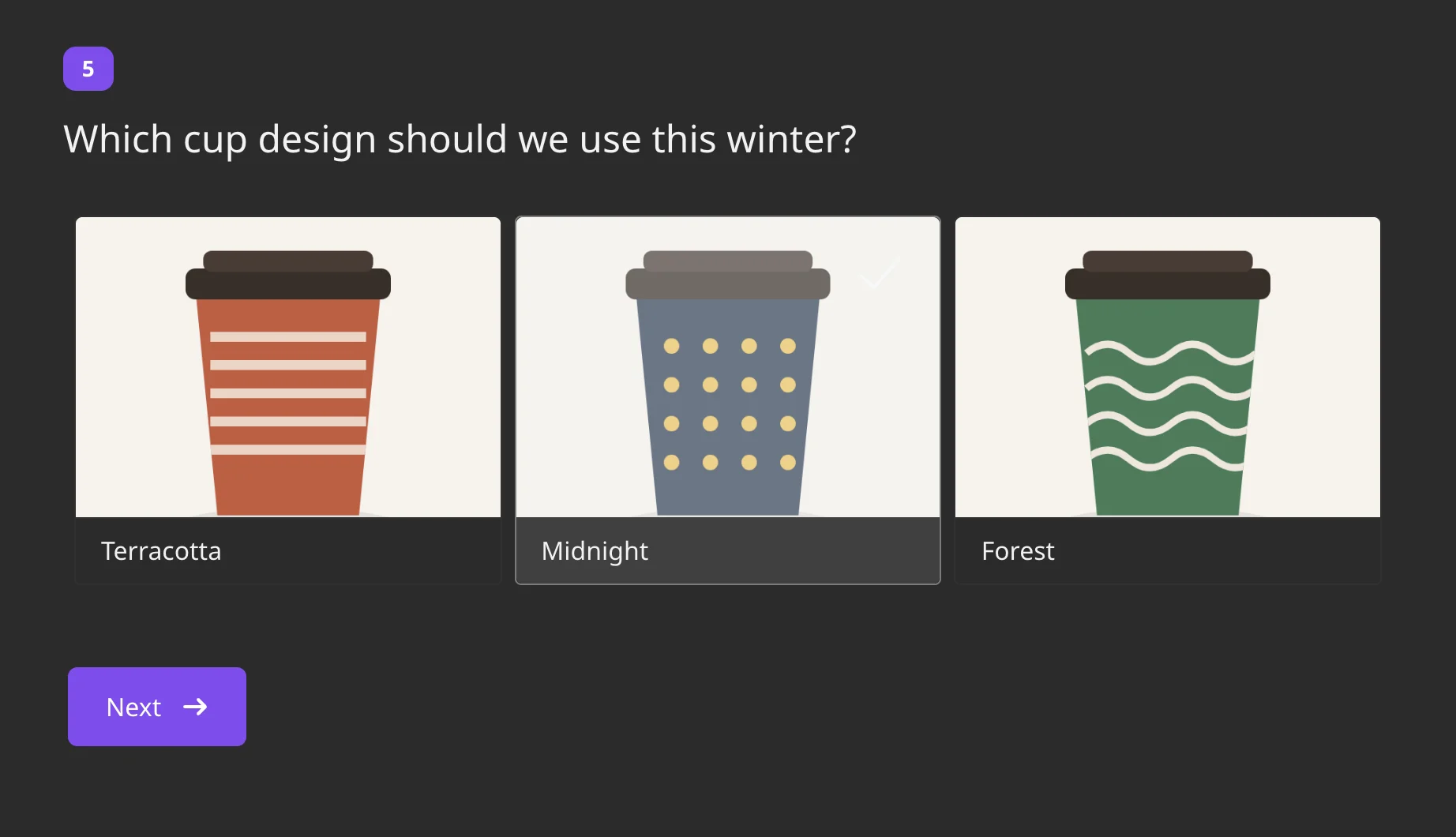
The respondent clicks a card to select it, and a check mark appears. A magnifier icon opens the image at full size: on a computer it appears on hover, on a phone it's always visible. Video and audio cards have a play button that opens the player, so the respondent can watch or listen before choosing. When captions are shown and Random order is off, a card without a caption gets a number instead: "Image #1", "Image #2" and so on.
With Multiple choice on, the hint "Choose several options" appears above the cards. With one answer, the next question opens right after the click, unless Disable auto-advance to the next question is on in the survey settings.
Options without a file aren't shown to respondents.
Responses and report
In Results → Reports, the card shows how many respondents chose each option, with a preview of the image, video or audio. Switch between List, Bars, Table and Donut. Click a preview to open the file.
In CSV and XLSX files, the answer cell contains a link to the file of the chosen option. With Multiple choice on, the download window lets you put all chosen options In one column or use A column per option. The columns are named after the captions, or after the file names if there are no captions. See Viewing and Downloading Survey Responses.
Logic and scores
In logic jumps, Media Choice has the conditions Equals, Does not equal and Is answered. Options can have points and correct answers. With Multiple choice, the points of all selected options add up. See Scores, Correct Answers and Personality Tests.
Limits
- Media Choice is available on the Basic plan and higher. On the Free plan, it has a $ icon.
- One file per option. A card holds an image, a video or an audio clip.
- Dragging several files at once adds images only, up to 50 options in the question.
- Min. amount and Max. amount go from 0 to the number of options.
- Media Choice has no Other option and no None of the above.